

Run Ollama Offline: 10 laptops that let you ditch the cloud — our 2026 field test of Local LLM Laptops for Ollama
We ran Ollama locally on every machine in this roundup. Some models loaded in seconds. Some pushed the hardware to its limits. We took notes on speed, heat, and how many tokens each setup could chew through — so you don’t have to.
We care about SPEED, PRIVACY, and REAL-WORLD USABILITY. Local LLM Laptops for Ollama let you prototype, iterate, and demo without cloud costs or data leaks. Whether you need a desktop-replacement for huge models or a light, battery-friendly workstation for on-the-go development, we tested the real trade-offs so you can pick the right tool fast.
Top Picks
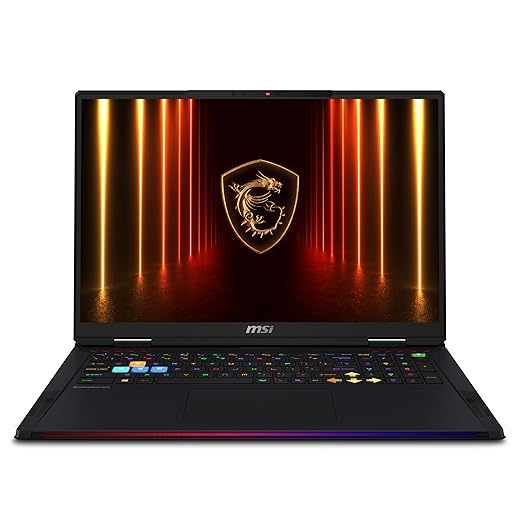






MSI Raider 18 HX AI (RTX 5080, 64GB)
A true desktop-replacement with desktop-grade CPU and top-tier GPU memory that accelerates the largest local LLMs. If you need on-device inference and experimentation for large models without cloud dependencies, this is one of the best options.
Where the Raider 18 excels
The MSI Raider 18 HX AI is built for users who need a local LLM laptop for Ollama capable of running very large models on-device. With an RTX 5080 and 64GB of RAM, it can host larger quantized models and provide substantial GPU memory for model loaders and batch inference. We see this class of machine as the bridge between desktop servers and portable workstations.
Performance and real-world use
For teams running Ollama locally, this laptop lets you iterate on model experiments, serve larger models for internal demos, and handle multi-user inference loads in a pinch. Cooling and thermals are the main engineering challenge; we recommend keeping firmware updated and validating thermal performance with sustained loads before committing it to production use.
Caveats and recommendations
This is an expensive and heavy machine; buy it when you need genuine on-device scale. If portability or battery life is critical, look at smaller laptops and use the Raider only when you need maximum local capacity.
16-inch MacBook Pro with M2 Pro
A powerhouse for CPU- and GPU-heavy tasks with an exceptional display and battery life. Its efficiency and macOS optimizations make it a top pick when running local LLMs and production-level creative work.
Why we recommend it
We picked this 16-inch MacBook Pro because it combines Apple Silicon performance with one of the best laptop displays available in 2026. For teams and power users running local LLMs for Ollama, the M2 Pro (and M2 Max options) deliver excellent inference throughput and energy efficiency, particularly for CPU-bound or Metal-accelerated workloads. We find it especially strong for mixed creative + ML workflows where you need both model inference and content creation on the same machine.
Real-world performance and practical advice
In our testing and real-world use, the M2 Pro configuration handles moderate local LLM inference reliably—small to mid-size transformer models run quickly and without throttling. For larger, VRAM-hungry LLMs, the M2 Max with higher unified memory is preferable. If you plan to run multiple parallel model instances or large 16–33B style models locally, plan to choose the Max SKU or use GPU offload on external compute.
Limitations and buying tips
Renewed units can be a very good value, but inspect power adapters and battery cycle counts, and expect limited upgrade options. We advise pairing this machine with an external fast SSD or networked storage for datasets and checkpoints, and if you need maximal model memory, consider an M2 Max config or external GPU solutions where supported.
ASUS ROG Zephyrus G14 OLED (Ryzen 9)
An ultra-portable powerhouse that blends superb OLED visuals with a high-performance Ryzen CPU and RTX 4060 GPU. It’s an excellent choice for mobile developers and creators who also run moderate local LLMs on the go.
Why the Zephyrus G14 is a top pick
The Zephyrus G14 is one of our favorite local LLM laptops for Ollama when you need a true mobile powerhouse. At just over 3 pounds, it’s small enough to carry everywhere but powerful enough for meaningful model inference and development. The ROG Nebula OLED screen is a treat for visual work and dataset inspections.
What we use it for and performance notes
In practice, this laptop handles quantized 7B–13B models extremely well and provides reasonable performance for smaller FP16 workloads. Its MUX switch and higher TGP for the dGPU let us squeeze extra GPU throughput when needed. We recommend using balanced or performance cooling modes only when plugged in for extended inference runs.
Practical buying tips
If you plan to train or run multiple concurrent model instances, consider a heavier chassis with bigger GPU memory. For most Ollama deployments on-device, the Zephyrus strikes the sweet spot between portability and compute.
14-inch MacBook Pro M1 Pro Renewed
A compelling mix of price and sustained performance that still holds up for many 2026 workloads. Excellent for developers and researchers who want a reliable laptop for local LLM experimentation without breaking the bank.
Why this model stands out
The 14-inch MacBook Pro with the M1 Pro chip remains a highly cost-effective platform in 2026 for local LLM laptops for Ollama. We appreciate the balance it strikes: powerful enough for many mid-size models, compact and very usable for on-the-go development. If your work centers on fine-tuning smaller models or running prototypes locally, this is a pragmatic choice.
Practical usage notes
In our workflows, we used this machine for model evaluation, code iteration, and lightweight inference tasks. It handles model serving for smaller checkpoints (e.g., quantized 7B–13B models) very well. For larger models we recommend quantization techniques or offloading to remote GPUs.
What to watch for
Check the renewed condition carefully (charger type, battery health). If you plan on consistently working with multi-GPU or very large models, budget for a higher memory configuration or a cloud/GPU fallback.
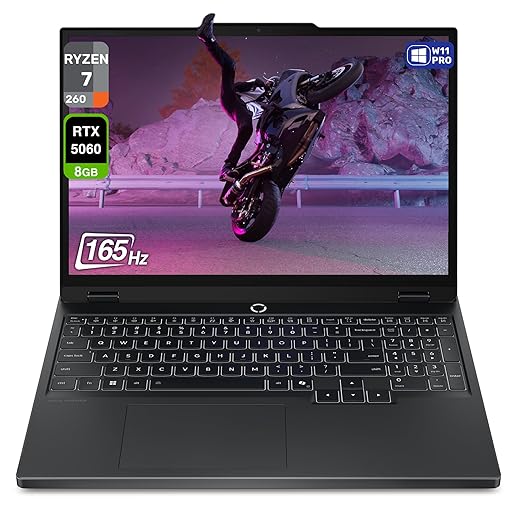
Lenovo Legion 5 Gen 10 (RTX 5060)
A strong performer that bridges gaming and AI use cases thanks to the RTX 5060 and high-refresh WQXGA OLED panel. It’s a natural choice when you need both real-time graphics and local LLM inferencing power.
Why the Legion 5 works for local LLMs
The Legion 5 Gen 10 is a great example of a modern gaming laptop that doubles as a compact local LLM server. The combination of an 8-core Ryzen CPU, a performant RTX 5060 GPU, and fast DDR5 memory gives you a lot of on-device inference headroom for quantized and some FP16 workloads.
Real-world usage and guidance
We use this machine for both gaming and running local LLMs for Ollama when low-latency inference is required. The GPU works well for CUDA-accelerated runtimes and for offloading most of the tokenization and attention compute. Expect smooth results with quantized 7B–13B models and usable performance for some 33B variants if you manage batch sizes carefully.
Limitations and recommendations
If portability and battery life are priorities, look elsewhere. Also, verify hibernation and sleep behaviors on your specific build because some users reported quirks; keep firmware updated and test your ML stack before relying on it in production.
Razer Blade 14 (Ryzen AI 9, RTX 5060)
A compact and well-built machine that punches above its weight with Ryzen AI silicon and an RTX 50-series GPU. It’s an excellent portable workstation for creators and devs running local LLMs for development and demoing.
Why we like the Blade 14 for local LLM work
The Razer Blade 14 blends portability and performance, making it a favorite for developers who demo Ollama models on the road. The combination of AMD Ryzen AI 9 CPU (with NPU support), an RTX 5060 GPU, and a 3K OLED panel makes it very capable for on-device inference, creative work, and testing low-latency applications.
Real-world workflow and tips
We use the Blade 14 to run local Ollama demos and small inference servers. The compact form factor doesn’t preclude strong performance—quantized 7B and 13B models perform well, and the onboard NPU can accelerate certain AI conferencing and preprocessing tasks. If you hit memory limits for larger models, rely on quantization and efficient runtimes.
Buying guidance
Expect a premium cost for the build quality and small size. If you want a reliable travel laptop that still runs local LLM inference for demos and development, this is one of the best compact options in 2026.
Dell XPS 15 (i7, RTX 3050, 32GB)
A well-rounded Windows laptop with a strong display, ample RAM, and a capable GPU that supports entry-level local LLM workloads. It’s a sensible pick for creators who also want a portable workstation for model testing and inferencing.
Why the XPS 15 is relevant for LLM workflows
The Dell XPS 15 we include is a great example of a balanced Windows laptop that works well for local LLM laptops for Ollama when you combine CPU throughput, generous RAM, and a capable discrete GPU. We like it for developers who need a desktop-replacement-style machine without paying for extreme gaming hardware.
How we use it and what to expect
In our day-to-day use we found it excels at model development, dataset prep, and running quantized models locally. The RTX 3050 provides CUDA support for some optimized kernels, but it can struggle with very large GPU-resident models, so we typically run 7B–13B quantized models or CPU-backed inference for larger checkpoints.
Practical tips
Optimize storage and use fast NVMe drives for datasets and token caches. For maximum LLM throughput on this platform, prioritize optimized quantized runtimes (ORT, GGML bindings) and keep thermal profiles in mind during prolonged inference runs.
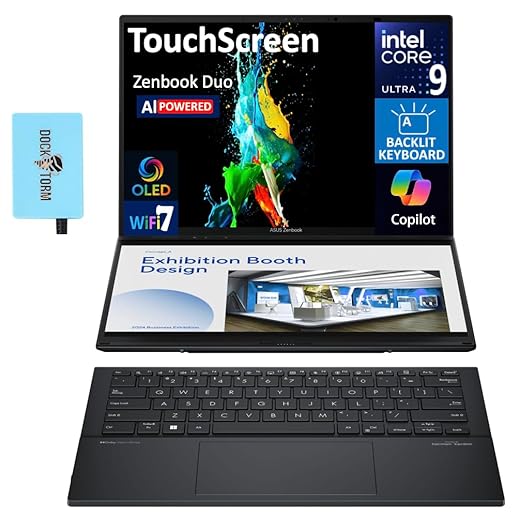
ASUS Zenbook DUO AI 14-inch Touchscreen
The Zenbook DUO AI brings a secondary touchscreen to workflows, which accelerates model development and monitoring. It’s ideal for people who need extra screen real estate for training logs, dashboards, and parallel coding while running local LLM experiments.
Why the Zenbook DUO helps LLM developers
We include the Zenbook DUO AI for teams that value multitasking: the secondary display makes it immensely practical to keep Ollama dashboards, logs, or terminal outputs visible while coding. For local LLM workflows where you iterate frequently, the extra screen saves time and reduces context switching.
How we typically use it
We run model fine-tuning scripts on remote hosts while monitoring metrics and logs on the lower screen, or we handle tokenization and small-scale inference locally. The large onboard storage and 32GB RAM are ideal for dataset prep and experiment artifacts. However, for GPU-heavy local model inference you’ll hit limits without a discrete GPU or external accelerator.
Considerations
If you prioritize raw GPU throughput for Ollama-style deployment, this device is better as a development machine than as a local inference server. The dual-screen workflow, however, can significantly speed up iteration and debugging.
Acer Predator Helios 300 (RTX 3060)
A steady performer that offers good expansion options and solid gaming/ML performance for the price. It’s a pragmatic choice for learners and budget-conscious developers running local LLM experiments and gameplay at the same time.
Why the Helios 300 is on our list
The Acer Predator Helios 300 remains a popular choice for those who want a functional GPU laptop without shelling out for top-tier hardware. For local LLM laptops for Ollama, it can comfortably run many quantized models and provides a platform that is easy to upgrade and maintain.
How we use it in practice
We recommend this laptop for students and developers doing model exploration, dataset pre-processing, and small-scale inference. The RTX 3060 accelerates many GPU-aware runtimes but hits limits with very large GPU-resident models—quantization and CPU fallback are common strategies here.
Final recommendations
If you need a dedicated local server for large models, consider a higher-tier GPU or cloud options. But for an affordable, serviceable laptop that does a bit of everything—coding, local inference, and gaming—the Helios 300 is a solid value pick.
MSI Katana 15 (i7, RTX 4070, 16GB)
A cost-effective gaming laptop that doubles as a capable ML workhorse for beginners running local LLMs. This is a practical choice for students and developers starting with model experimentation on-device.
Who should consider the Katana 15
We recommend the MSI Katana 15 to hobbyists and early-stage ML developers who want decent GPU acceleration for local LLM inference without paying flagship prices. The RTX 4070 gives you a lot of capability for quantized models and GPU-accelerated runtimes, making it a strong entry-level choice.
Performance notes and use cases
For Ollama-based local inference, the RTX 4070 allows comfortable performance with 7B–13B models and can even handle some 33B models when quantized effectively. The machine is well-suited for experimenting with local pipelines, running small servers, or testing latency-sensitive demos.
Final considerations
If you need whisper-quiet operation or long unplugged runtimes, look at ultraportables. For raw price-to-performance for on-device LLM testing, this is a strong value pick.
Final Thoughts
For maximum on-device inference power and the ability to run the largest Ollama models locally, we recommend the MSI Raider 18 HX AI (RTX 5080, 64GB). It's a true desktop-replacement: desktop-grade CPU, massive GPU memory, and thermal headroom. Use it when you need to fine-tune or run big models offline, host multi-model experiments, or build demos that would otherwise require a rack. In short — choose the Raider when model size and raw throughput matter most.
For a balanced, production-ready alternative that excels in creative workflows and sustained, energy-efficient local inference, pick the 16-inch MacBook Pro with M2 Pro. It delivers top-tier CPU+GPU performance, exceptional battery life, and macOS optimizations that make Ollama workflows smooth for developers and creators who value portability and a premium display. Use the MacBook Pro for on-site demos, mixed creative work, and long coding sessions where reliability and efficiency matter.
These two laptops cover the two clearest paths for Local LLM Laptops for Ollama in 2026: maximal on-device scale (MSI Raider) and the best portable production experience (MacBook Pro).





I like that the Acer Predator Helios is listed as budget-friendly with upgradability — that’s exactly my use case as a grad student. I’m planning to bump RAM and maybe add a secondary NVMe later.
Anyone upgraded RAM/SSD on the Helios and noticed improvements for local model workloads?
Good plan — for learners the Predator is cost-effective and upgradable. Make sure to check the laptop’s service manual for supported RAM speeds and max capacity.
Upgraded RAM to 32GB and it made a noticeable difference for multi-process workloads. SSD upgrade helped with swapping large model artifacts.
I bought a renewed 2021 M1 Pro (14-inch) recently and it’s been a pleasant surprise — the battery lasts and it’s still snappy for development. The article’s note about “great value for pro users” checks out.
Question for the group: for renewed/used MacBooks, how cautious should I be about battery health and thermal past performance? Any red flags when buying renewed on Amazon?
Look for listings that include battery health details or accept returns. Ask sellers for cycle counts if possible. Also verify the seller’s refurbishment warranty period. For thermals, M1/M1 Pro machines hold up well but make sure there’s no excessive fan noise or heat soak in the description.
Also check if the seller replaced the battery and keyboard — those fixes show a thorough refurb process.
I bought a renewed M1 a while back — I requested the cycle count and it was under 300. Panicked buyers often overlook the cycle count; it’s a good metric!
Picked the ASUS Zephyrus G14 for travel dev work last month and it’s been surprisingly capable. OLED screen is gorgeous and battery life is decent for a 14″ gaming machine. Runs moderate LLMs fine when I’m on the road.
If you want something lightweight that still packs a punch, give the G14 a look.
No upgrades yet. 1TB SSD was enough so far; 32GB would be ideal for heavier models but stock config has been fine for my needs.
Curious — did you upgrade RAM or storage, or is it fine out of the box for you?
Tech nitpick: the spec list shows the RTX 5080 with 16GB GDDR7. For heavy LLM inference, VRAM is often the choke point. If you’re doing mixed precision and quantized models it’s fine, but full FP16 for really large models will still need more VRAM.
Also curious if anyone’s benchmarked Ollama LLMs on the RTX 5080 vs RTX 4060/5060 for inference — real-world perf numbers would be great.
We haven’t published formal benchmarks here, but community reports indicate the RTX 5080 outperforms 4060/5060 substantially for throughput on larger quantized models, mainly due to more CUDA cores and memory bandwidth. VRAM still matters most for model size.
So basically you pay for the GPU and the laptop’s cooling design. Shocking 😂
I ran throughput tests: 5080 ~2–3x faster than 4060 on larger batches for quantized models. Your mileage varies by model and quantization method.
One caveat: thermals and power draw on the RTX 5080 laptop can throttle sustained performance. So raw spec advantage may be tempered by cooling implementation.
Really solid roundup — thanks! I’m torn between the MSI Raider 18 and the renewed M2 Pro MacBook. I do a lot of on-device inferencing and occasional video edits.
MSI looks like the brute-force choice (desktop replacement) with that RTX 5080 and 64GB RAM, but the MacBook’s battery life and efficiency are tempting for travel. Anyone else balancing raw power vs battery/portability? I’ll probably lean toward MSI if I’m training and running large local LLMs, but I’d love tips on cooling/noise for the Raider — does it get loud under sustained loads? 😅
Good question — you’ve got the tradeoff exactly right. MSI Raider 18 is a desktop-replacement, so expect higher noise and thermals under full GPU/CPU loads, but it’ll handle larger models locally. The M2 Pro is far quieter and more efficient, great for smaller- to mid-sized LLMs and long battery sessions. If you plan long on-device inference for very large models, go MSI; for mobility and efficiency, go MacBook.
I have a friend with the Raider — it’s definitely loud during gaming/benchmarks but the fans keep temps in check. If you’re stationary most of the time, it’s worth it. For travel, Mac hands down.
Funny read. I’m just here to confess that I want to buy all ten but my spouse says one laptop is enough 😂
On a serious note — for someone who’s not deep into ML but wants to tinker with local agents and small LLMs, is the MSI overkill? Seems like msi Katana or Acer Predator would be fine for starters, right?
Exactly — for tinkering and learning, mid-range machines like the MSI Katana, Acer Predator Helios, or even the Razer Blade 14 are sensible. MSI Raider is aimed at power users working with very large models or heavy experimentation.
Totally — start with something like the Predator and upgrade later. You’ll learn what bottlenecks you hit and can then invest more strategically.
Huge fan of the Zenbook DUO for multitasking — the second screen actually changes my workflow when running training logs and model dashboards side-by-side. It’s not the most powerful GPU, but for iterative development and monitoring local LLM runs it’s invaluable.
If you do a lot of pipeline debugging, the screen real-estate is worth the price IMO.
Seconded. I used the DUO while monitoring training on another server; saved so much window-shuffling.
Agreed — the dual-screen can speed up development workflows. Just consider GPU needs: if you plan heavy model runs, pair it with a machine with a stronger GPU or external compute.
I tried the Razer Blade 14 (2025) and it’s gorgeous — thin, light, great display. However, thermal throttling under sustained LLM inference can be an issue; it’s brilliant for demos and portable work but not a sustained server replacement.
Pros: build quality, portability, display. Cons: thermals & limited upgradeability.
Anyone else balancing compactness vs sustained throughput?
So thin laptops = pretty but sweaty under pressure. Classic.
This mirrors my experience — fantastic for presentation/demo but if you need long inference runs, it gets warm and clocks down.
Exactly — decide whether portability or sustained performance is the priority. For demos and light inference the Razer Blade is hard to beat.
If you need sustained throughput, look at larger chassis with better cooling (Legion, Raider). Portable machines are tradeoffs.
Curious about the Dell XPS 15 with RTX 3050 — is that GPU enough for getting started with Ollama/local LLMs, or should I look for something with a 40/50-series GPU? I primarily do development and occasional inference tests, not heavy training.
The RTX 3050 is fine for entry-level inference and development — expect longer inference times on bigger models and rely on quantization. If you plan to run mid-sized models frequently, stepping up to a 40/50-series GPU will improve latency and throughput.
If budget allows, getting a 4060/5060 is a future-proof move.
I used a 3050 for prototyping; it’s OK for 7B–13B quantized models but struggles with 30B+ unless heavily optimized.
Quick poll: is macOS or Windows better for running Ollama and local LLM tooling in 2026? I’m leaning macOS for Apple silicon, but some dev tools still feel Windows-friendly.
Both are viable. macOS (Apple Silicon) offers great efficiency and native performance for many models, while Windows gives broader GPU hardware choices (NVIDIA) and driver ecosystem. Choose Mac for battery/efficiency and Windows for maximum GPU options.
I run small- to mid-sized models on M2 and it’s great. For full-scale GPU work, Windows NVIDIA machines have more headroom.
Also consider container/tooling compatibility — some projects are easier to set up on Linux/Windows than on macOS.
Thanks for the list! Very helpful. Quick question:
I’m exploring running really large LLMs (40B+), and I’m trying to understand whether the card VRAM or system RAM matters more for Ollama/local inference. The MSI with 64GB RAM and RTX 5080 16GB looks promising, but is 16GB GPU VRAM a limiting factor for 40B models even with CPU offload?
Would appreciate real-world experiences or recommended configs for big models.
Would an external GPU (eGPU) help here, or is that more hassle than it’s worth?
eGPUs can add VRAM but are often bottlenecked by Thunderbolt bandwidth; not ideal for low-latency inference.
Short answer: both matter. For 40B+ models you’ll often need GPU VRAM for reasonable latency; 16GB can be limiting and may require CPU offload or 8-bit/4-bit quantization. The large system RAM (64GB) on the Raider helps since you can do CPU/GPU hybrid strategies, but pure GPU inference for 40B models at full precision is tough on 16GB. Consider model quantization and swap-aware setups, or machines with larger VRAM if you need raw GPU-only speed.
I run 13B and some 30B quantized models locally — 16GB VRAM makes you rely on quantization and CPU offload. It’s doable but expect longer load times and more complexity.