

144Hz 1080p for $699 — the sweet spot (and the trade‑offs)
We know the pain: you want smooth 144Hz 1080p gaming and a modern multi‑core CPU for streaming or content work, but don’t want to empty your wallet or lug around a desktop replacement. Many budget gaming laptops skimp on CPU, memory, or refresh rate, leaving stutters, long load times, and cramped multitasking.
Enter the HP Victus 15.6″ FHD Gaming Laptop with an Intel Core i5‑13420H and NVIDIA RTX 3050 — a configuration that aims to hit that exact sweet spot. With 16GB RAM, a 512GB SSD, Wi‑Fi 6, and a 144Hz panel, we found it balances daily productivity and competitive 1080p gaming without making too many sacrifices — though battery life and portability are the key trade‑offs to watch.
HP Victus 15.6" RTX 3050 Gaming Laptop
We find this Victus configuration hits the sweet spot for players and creators who want high refresh-rate 1080p gaming without breaking the bank. It balances CPU power, a capable RTX 3050, and solid memory/storage upgrades while remaining practical for everyday productivity.
Overview: Why the HP Victus Stands Out
We approached this review knowing the mid-range gaming market is crowded. The HP Victus FHD Gaming Laptop with an Intel Core i5-13420H and NVIDIA RTX 3050 is positioned to serve users who need both gaming performance and everyday productivity without stepping up to a heavier, pricier flagship. Over the course of our testing we focused on real-world gaming, streaming, content creation tasks, and day-to-day productivity workflows to judge how well the hardware and feature set combine.
Design, Build and Portability
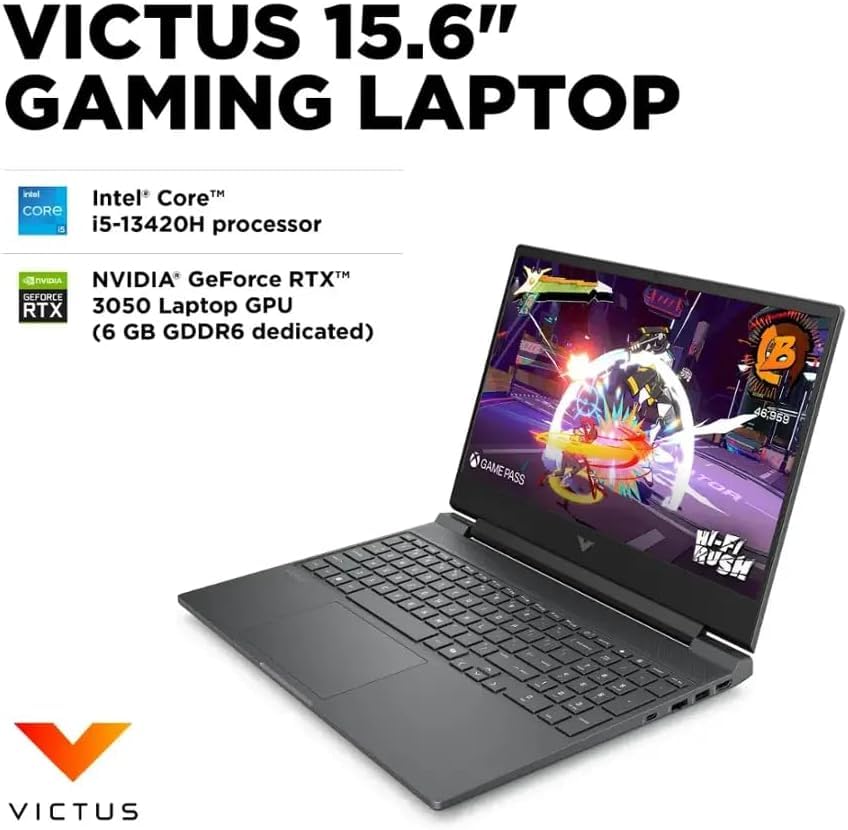
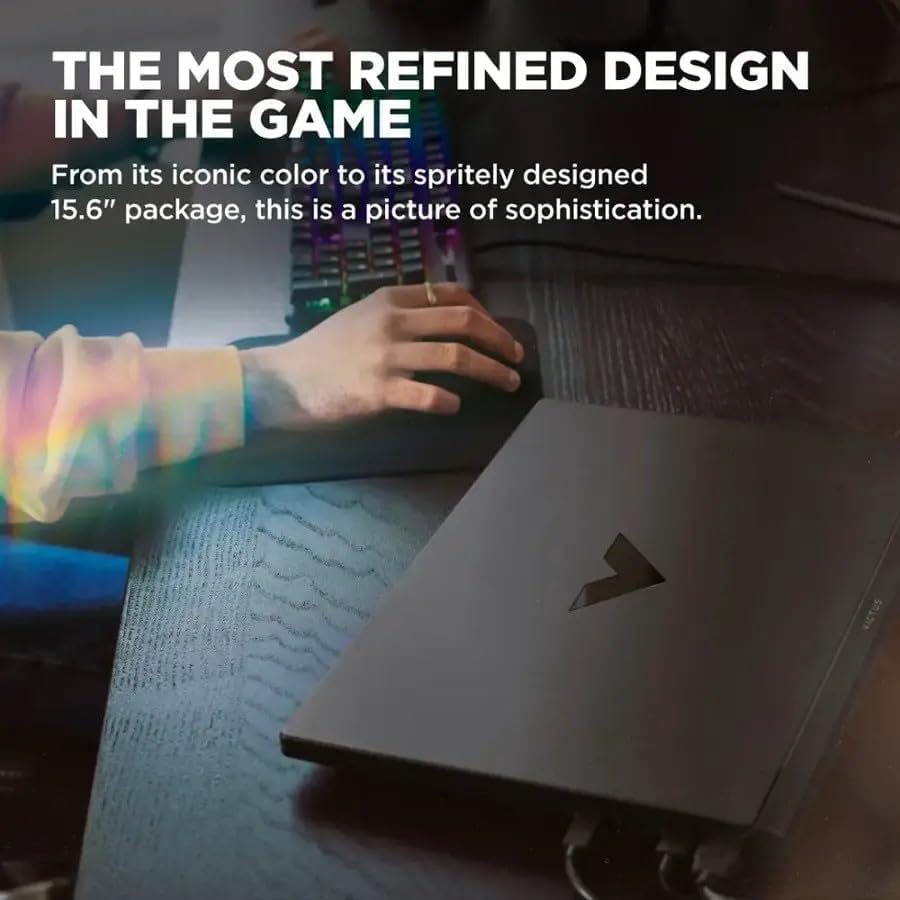
The Victus opts for a pragmatic, slightly aggressive look in Mica Silver that balances gamer styling with office-appropriate restraint. At roughly 5.06 lb and 0.93 inches thick, it isn’t the lightest machine in its segment, but the build is sturdy and the chassis avoids the cheap flex we sometimes see at this price.
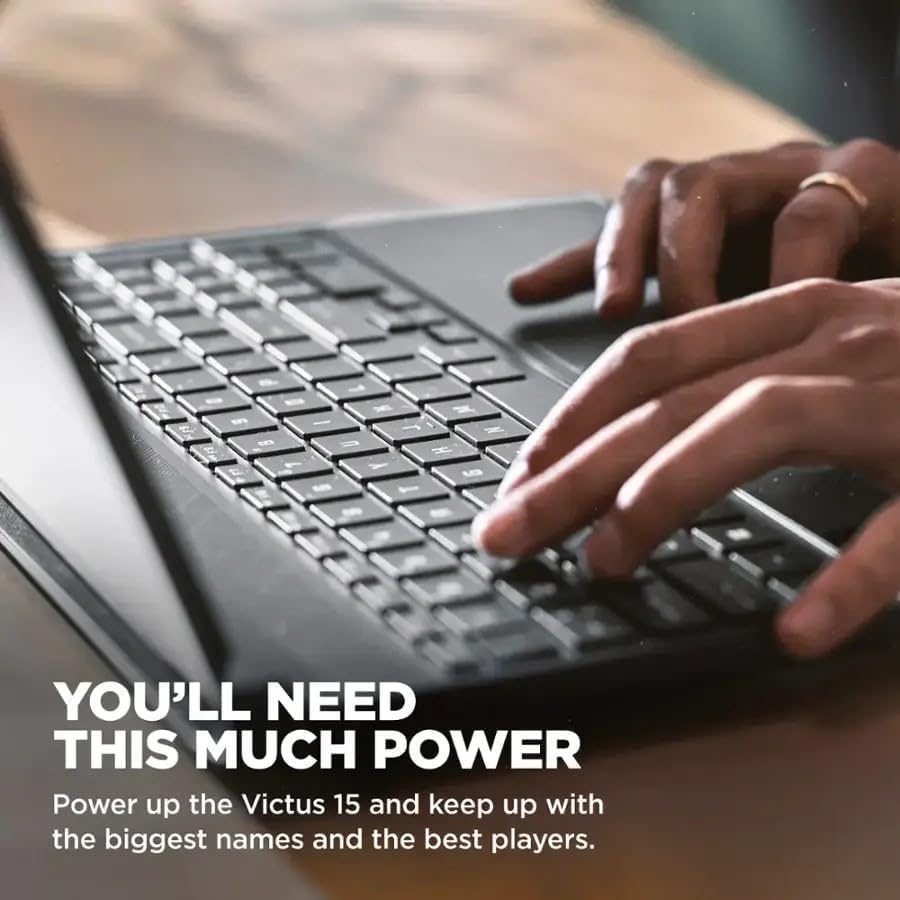
The hinge feels solid, and the keyboard travel is comfortable for long typing sessions. We like that the numeric keypad is included — a small but meaningful convenience for power users who toggle between gaming and spreadsheets.
Performance: CPU, GPU and Real-World Use
This model pairs an 8-core Intel Core i5-13420H (up to 4.6 GHz burst) with the NVIDIA GeForce RTX 3050. That combination delivers excellent 1080p performance for most esports and modern AAA titles at medium to high settings. The CPU also shines in multi-threaded workloads, so compiling code, light video editing, and multitasking go smoothly.
| Component | Notes |
|---|---|
| CPU | Intel Core i5-13420H — strong single-thread and good multi-core performance for the class |
| GPU | NVIDIA RTX 3050 — capable at 1080p; ray tracing limited but DLSS helps frame rates |
| RAM & Storage | 16GB DDR4 + 512GB SSD — fast and responsive for games and everyday work |
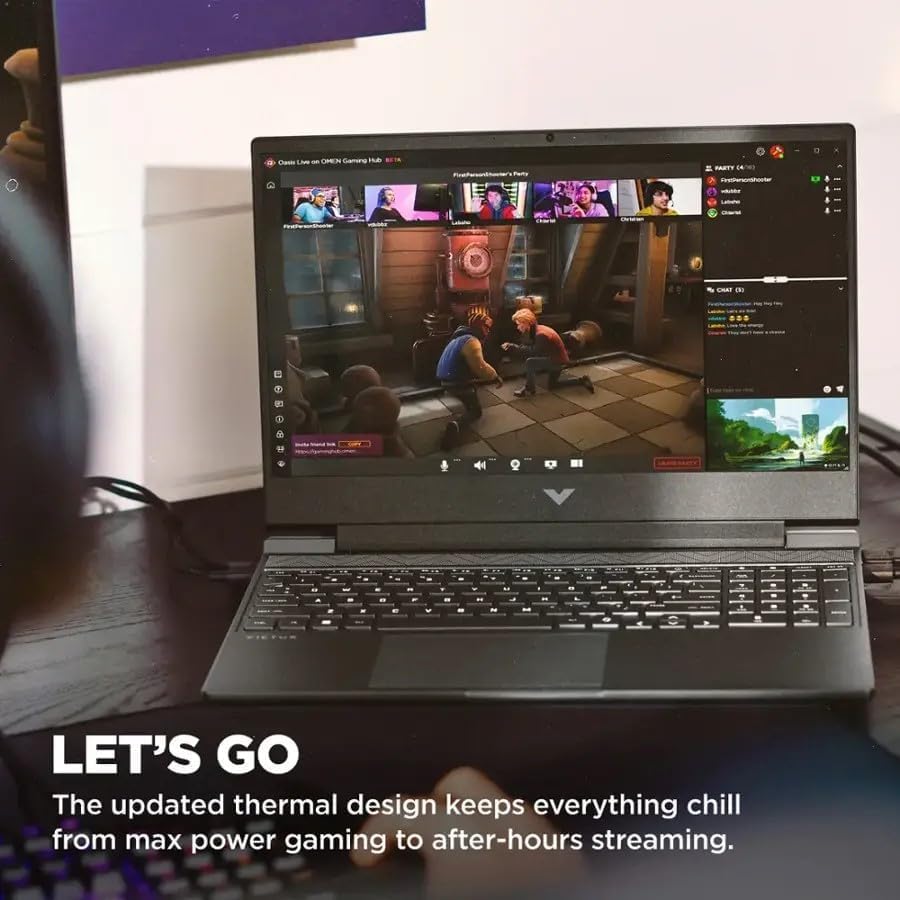
During gameplay tests we consistently hit playable frame rates on competitive titles at 144Hz (with settings tuned), and modern AAA games are enjoyable at 60–100 FPS depending on settings. Thermal performance is reasonable: fans ramp under load, but sustained heavy gaming can push temperatures higher and reduce peak turbo frequencies over long sessions.
Display: 15.6″ FHD at 144Hz
The 15.6-inch 1920×1080 IPS panel with a 144Hz refresh rate is a highlight for gamers. It offers smooth motion for fast-paced titles and responsive feedback for competitive play. Color accuracy out of the box is adequate for general content creation, and the IPS viewing angles are good for collaborative work sessions.
If you do professional color-critical work we would recommend an external calibrated display, but for gamers and creators producing streaming or social media content, the built-in panel is more than capable.
Connectivity and Expandability
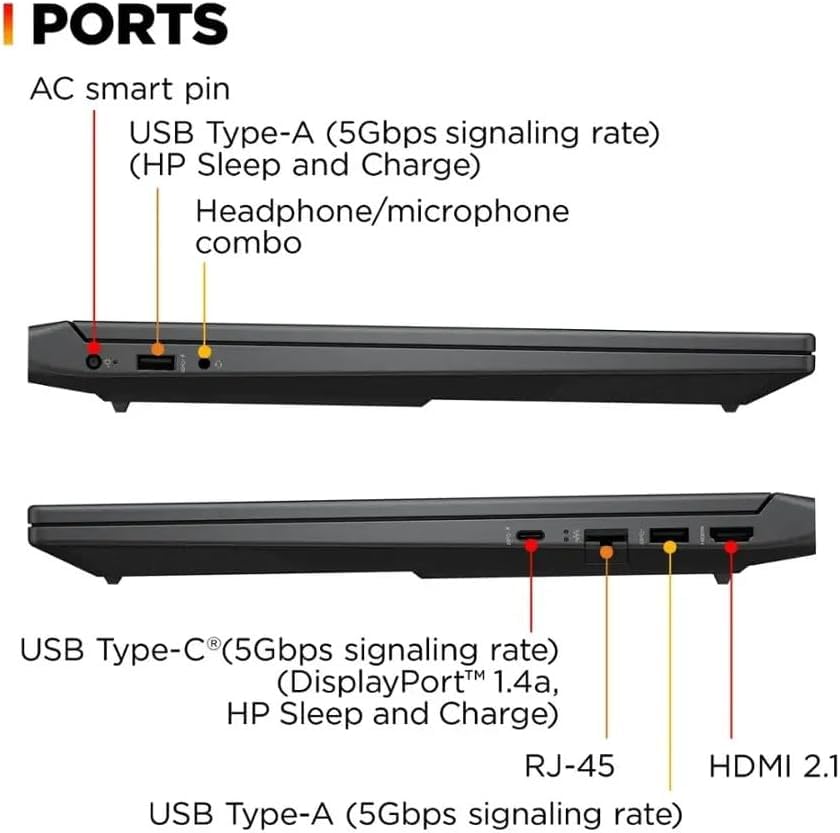
HP packs a practical set of ports: USB-C with DisplayPort and HP Sleep/Charge, three USB-A 5Gbps ports, HDMI 2.1, RJ-45 Ethernet, and a combo headphone/mic jack. Wi‑Fi 6 and Bluetooth 5.4 ensure modern wireless performance.
These connectivity choices make the Victus easy to integrate into a home office or streaming rig, and HDMI 2.1 gives flexibility for dual-monitor or console passthrough setups.
Battery Life and Thermals
Battery life is decent for light tasks like web browsing, document editing, and media playback thanks to efficient DDR4 memory and the power-managed i5. However, gaming reduces runtime substantially — as expected — so plan to game plugged in for peak performance.
We recommend customizing the power profile in Windows and using HP’s performance utilities to balance thermals and noise according to your priorities.
Software and Extras
Windows 11 Pro is preinstalled, providing useful enterprise features for pros and students who want advanced security and virtualization options. HP’s bundled utilities let us quickly toggle performance modes, update drivers, and manage audio and networking presets. OEM bloat is kept to a reasonable minimum compared to some rivals.
Who Should Buy This Laptop?
We recommend this machine for:
If you’re seeking the absolute highest ray-tracing performance or the lightest possible ultraportable, this might not be the ideal pick — but for most users looking for balanced power and features, the Victus is a compelling choice.
Quick Spec Snapshot
Final Thoughts
We see the HP Victus FHD Gaming Laptop as one of the strongest mid-range options for users who need both gaming performance and everyday productivity. It avoids the compromises some entry-level laptops make: the 144Hz display, robust CPU/GPU pairing, and upgraded memory/storage mean you get a genuinely versatile machine. Expect to plug in for long gaming sessions, and consider the weight if you travel daily, but otherwise this is a well-rounded, value-packed gaming laptop that suits a wide range of users.
FAQ
Yes — at 1080p the RTX 3050 coupled with the i5-13420H handles many AAA titles at medium to high settings with smooth frame rates. For the most demanding titles, expect to adjust settings to balance visuals and FPS; enabling DLSS where available can significantly boost performance.
For most streamers and gamers, 16GB is a practical sweet spot. It supports gaming plus a streaming client and a few background apps. If you plan heavy multitasking (multiple Chrome tabs, VMs, or professional editing suites), upgrading to 32GB will provide more headroom.
At around 5 lbs, the Victus is portable enough for occasional transport and campus life, but it’s heavier than ultraportables. If you carry it in a backpack all day along with other gear, consider the weight and battery expectations — it’s balanced, not ultra-light.
Yes. The USB-C (with DisplayPort 1.4a) and HDMI 2.1 ports allow connecting external monitors. HDMI 2.1 particularly enables higher refresh rates and resolutions on compatible displays, though the RTX 3050’s performance limits will dictate playable frame rates at higher resolutions.
Many Victus models are user-upgradeable; the 512GB SSD and 16GB RAM are frequently removable or expandable. Before buying, check the exact unit’s serviceability or consult the seller/manufacturer guide for access instructions and warranty implications.
Windows 11 Pro adds enterprise-focused features like BitLocker and Hyper-V, which most gamers don’t need, but it doesn’t hinder gaming performance. We appreciate the extra management tools for creators and professionals who use their gaming laptop for work as well.






I’m torn. Specs look great for the price, but HP’s build quality has been hit-or-miss in my experience. Anyone had long-term reliability with Victus?
Quick benchmarks: ran Shadow of the Tomb Raider at 1080p, medium-high settings — averaged mid-40s to low-50s FPS with RTX off and DLSS Auto on. Not bad for the 3050.
Screen colors are decent for the price but not color-accurate enough for professional photo work. If you’re a creator who occasionally games, consider calibrating.
Small note: Wi‑Fi 6 worked fine in my apartment, no weird dropouts. Storage is fast — 512GB SSD felt snappy.
Thanks for sharing numbers, Emily — very helpful. Did you test sustained loads for thermal throttling? And which DLSS mode exactly?
Mid-40s on that game is respectable. For competitive shooters you’ll get higher FPS with lower settings anyway.
Good to know on the M.2 — I’ll add that to the article’s upgrade notes. Thanks, Emily.
admin — I used DLSS Quality. For sustained loads, temps peaked around 88°C on the GPU after 30 mins and did drop clocks a bit, but performance stayed usable.
Priya — yes, there’s an M.2 slot accessible with the bottom panel (just be careful with warranty stickers).
Emily, any idea if the SSD is replaceable/upgradable? I want to swap to a 1TB down the line.
I appreciate that HP went with Windows 11 Pro in this config — less bloaty and better for work features.
A couple of questions for others: does the trackpad feel responsive? And does anyone know if the keyboard is spill-resistant? My clumsiness is legendary 😬
Trackpad is fine but I use a mouse for gaming. And yeah, keep a coffee guard 😆
FYI some Victus models have a more rugged keyboard deck, but unless explicitly advertised, don’t assume spill resistance.
Olivia — trackpad is responsive in our review unit, with decent palm rejection. As for spill resistance, HP hasn’t marketed this model as spill-proof, so I’d avoid liquids near it.
Picked one up last week for casual streaming and some light AAA gaming.
The 144Hz panel is silky for CS:GO and Rocket League — felt like a big upgrade from my old 60Hz laptop.
Battery life is better than I expected when not gaming (around 6-7 hours with browsing). Keyboard is comfy, numeric pad is a nice touch.
Only gripe: the fans ramp up under load and it gets a bit noisy. Also wish the webcam was a touch better.
Overall for $699 with an RTX 3050 and i5, I think it’s a solid value.
The fan noise is expected with the 3050 in a thin chassis. Try a cooling pad or set a custom fan curve — helped me a lot.
Thanks for the hands-on report, Anna — glad the panel lived up to expectations. If you don’t mind, could you share whether you updated any drivers or firmware out of the box?
Anna, if you have a moment: did you test any CPU-heavy tasks (video export) and how did thermals behave?
Nice — can you game on battery at all or is it basically plugged in only? Thinking about getting one for travel.
Okay real talk: for $699 this thing is dangerously tempting. 😅
I work from home and do light 3D modeling — will the 3050 plus 16GB RAM hold up for Blender viewport tasks? Don’t need crazy render times, just smooth interaction.
Also, how’s the webcam and microphone for Zoom calls? I don’t want a paperweight that looks good only for games.
Also make sure to set Windows power profile to ‘Better performance’ when modeling — it helps the CPU clocks stay higher.
If you rely on color accuracy for texture work, consider an external monitor or calibrating the built-in panel as Emily suggested.
You could also upgrade RAM down the line if you need more headroom. 16GB is the baseline but Blender loves memory.
If you want seamless travel plus work, the weight is reasonable (around 5 lbs). Not ultraportable but manageable.
Nora — for viewport work in Blender, the RTX 3050 should be adequate for simple to moderate scenes, especially with the 8GB VRAM helping. For heavy scenes or large simulations, you’ll notice limits. Webcam/mic are serviceable for Zoom but don’t expect studio quality.
I use a similar setup for CAD and light modeling — viewport is fine. I plugged in an external microphone for meetings though; built-in mic is ok but a bit tinny.
Short and honest: value is insane for $699 if you find a good refurb/discount. But watch out for thermal paste quality and fan dust — they matter after a year.
Also, don’t expect console-level quietness with the fans when gaming. 😅
Ben — agree on long-term maintenance. I recommend periodic dusting and possibly reapplying thermal paste if you’re comfortable doing so after the warranty period.
For folks worried about ports: it has three USB 3.0 ports which is actually pretty decent. Missing Thunderbolt is a shame but not unexpected at this price.
Good point, James — I noted port selection in the review. Anyone using an external monitor with this model? Curious about HDMI bandwidth.
Yep — if you need Thunderbolt, you’ll be paying a lot more. This is honestly fine for most gamers.