: An Engineer’s Deep Dive
for creative professionals—whether they are developers crafting immersive experiences, engineers designing hardware, researchers running data-intensive simulations, or founders building next-gen media tools—USB hubs are indispensable for workstation expansion. This article investigates the engineering adn design intricacies behind the best USB hubs tailored to augment modern creative workstations. We explore technical specifications, performance benchmarks, compatibility factors, and real-world workflow applications to empower you with expert insights that optimize connectivity without compromise.
USB Hub Performance Metrics That matter for Creatives
Bandwidth Allocation & Throughput
USB hubs must efficiently allocate bandwidth across multiple connected devices. Creative workflows—such as 4K video editing, real-time 3D modeling, and multi-channel audio production—demand high throughput. USB 3.2 Gen 2 (10 Gbps) and USB4 (40 Gbps) standards are optimal for avoiding bottlenecks even under heavy peripheral loads. As USB-IF’s official USB4 architecture specification details, protocol dynamic tunneling allows simultaneous high-speed data transfer and display protocols through a single hub port, crucial for studio-grade external displays and storage.
Power Delivery Compatibility and Management
Power delivery (PD) through hubs supports charging of multiple devices simultaneously. High-wattage PD (60W–100W or more) is essential especially when hubs serve as docking stations for laptops and power-hungry external drives. Look for hubs supporting USB PD 3.1 or later with programmable power supply (PPS) technology that dynamically negotiates voltage and current, minimizing heat generation and optimizing energy efficiency.
Latency and Signal Integrity Considerations
Latency is critical in audio-visual and interactive applications. Hub designs employing advanced signal conditioning and multi-lane architecture maintain low latency and stable signal integrity. Certified hubs with differential signaling enhancements help minimize transmission errors, ensuring precise timing for live streams, VR rigs, and music production.
Compatibility Challenges in Complex Creative Workstation setups
Cross-Platform Driver Support
From Windows to macOS and Linux-based environments, USB hubs must exhibit seamless plug-and-play behavior. Many hubs fail in heterogeneous setups due to proprietary chipsets or lack of driver support. Verified compatibility with host OS USB stacks (e.g., Microsoft’s Windows USB driver stack, Apple’s IOUSBHostFamily) ensures minimal troubleshooting and maximum uptime.
Device Chain and Daisy-Chaining Constraints
Daisy-chaining hubs or devices through hubs is a common but delicate architecture choice.Each additional hub layer introduces latency, potential power drop, and data contention.Engineers must map the device topology carefully, adhering to USB 3.x and USB4 hub tier specifications to prevent unexpected disconnections or performance degradation.
Peripheral Variation: Protocol and Power Standards
Creative peripherals vary widely: SSDs with NVMe over USB, MIDI controllers using USB MIDI class, webcams leveraging USB Video Class (UVC), and legacy devices frequently enough only U2 (USB 2.0). Choose hubs that maintain full protocol compliance and backward compatibility while delivering differentiated power outputs per port for high-current gadgets.
Always look for hubs certified by the USB Implementers Forum (USB-IF) to ensure adherence to the latest standards, avoid hub firmware incompatibilities, and protect against damage from power surges.
Port Variety and Expansion: Matching Creative Workstation Needs
USB-A vs USB-C: A Mixed Surroundings
While USB-C is rapidly becoming the default connector due to its reversible design and support for higher length and power, many creative peripherals still rely on USB-A. The best hubs offer multiple port types,including USB-A 3.2 gen 2 and USB-C Gen 2/Gen 3, to accommodate a broad peripheral ecosystem with minimal adapters.
High-Resolution Video Output Support
Some creative professionals require high-resolution displays, connecting monitors via DisplayPort or HDMI through USB-C hubs. Hubs that support alternate mode (Alt Mode) video output allow a single USB-C port to carry both data and up to 8K video signals, ideal for detailed video compositing and 3D rendering environments.
Build Quality and Thermal Management in High-Density Hubs
Materials and Structural Integrity
Creative studios frequently enough push hubs into continuous high-performance scenarios. Metal housings (aluminum alloys) offer durability and effective heat dissipation compared to plastic counterparts. Additionally, robust cable connectors and strain relief reduce hardware failure rates over time.
Active Cooling vs Passive Cooling
USB hubs with PD above 60W or supporting multiple high-speed devices generate ample heat. Passive cooling (heatsinks, metal casing) is often sufficient, but some professional hubs implement quiet fans or thermal throttling circuits to maintain optimal operating temperatures, preventing throttling or damage.
Advanced Connectivity Features for Creative Professionals
thunderbolt Compatibility: Boost or Bust?
While USB hubs excel in versatility, thunderbolt docks offer unmatched throughput (up to 40 Gbps) for multi-4K workflows and external GPUs. Though, native Thunderbolt hubs are cost-prohibitive.Strategically combining USB-C hubs with Thunderbolt compliance (backwards compatibility) achieves a balance of high performance and connectivity diversity.
Smart Hub Features: Data Security & Configuration APIs
Some hubs feature intelligent software layers allowing port power scheduling, usage monitoring, and firmware updates. API-exposed settings enhance integration into managed workstations, helping IT teams or creative leads optimize peripheral allocation and secure sensitive workflows.
Evaluate hubs with firmware update protocols and secure boot to defend against supply chain attacks or peripheral hijacking in sensitive creative environments.

Real-World Use Cases: USB Hubs in Creative Studios
Video Editing and Post-Production
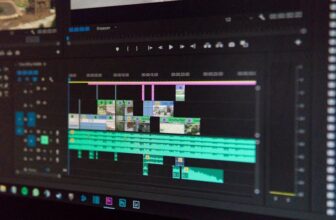
Video editors need multiple high-throughput external drives, cameras, and color grading peripherals connected simultaneously. USB 3.2 Gen 2 hubs with dual USB-C and USB-A ports paired with DisplayPort passthroughs reduce clutter while maintaining 4K+ editing workflow fluidity. PD charging ensures editors’ laptops run uninterrupted during long sessions.
3D Modeling and VR Development
3D artists require tight latency on VR peripherals, external GPUs, and high-bandwidth SSDs. USB4 hubs with protocol tunneling and alternate mode support enable simultaneous VR headset video streams and data transfers with low jitter,critical for immersion and rendering accuracy.
Audio Engineering and Live Streaming
Audio engineers rely on low-latency MIDI controllers, multichannel audio interfaces, and USB microphones simultaneously. USB 2.0 ports dedicated for MIDI devices alongside USB 3.x ports for audio interfaces ensure noise isolation and bandwidth appropriateness, avoiding buffer underruns or signal dropouts during live mixes.
Evaluating Market Leaders: Which USB Hubs Excel for Creatives?
Anker PowerExpand Elite 13-in-1
Boasting complete port variety including Thunderbolt 3 support, 85W PD, and 4K60Hz HDMI, Anker’s PowerExpand Elite balances premium materials and performance—ideal for mixed Windows/macOS workstation environments. Its advanced circuit design minimizes latency, supports daisy-chaining effectively, and firmware is regularly updated through official Anker utilities.
CalDigit Thunderbolt 4 Element Hub
Although primarily Thunderbolt, the Element Hub’s USB4 foundation combined with its robust power delivery and sub-10 ms latency make it perfect for demanding VR and GPU-accelerated workloads common in graphic engineering and AI-assisted creative processes. Certified by USB-IF and Thunderbolt Consortium, it ensures highest compliance standards.
Satechi Aluminum Multi-Port Pro hub
This hub offers an elegant all-metal build,excellent thermal management,USB 3.2 Gen 2 data support, and 4K video output at 30Hz. While not Thunderbolt enabled, it’s an affordable and reliable option for creatives whose workflow doesn’t require extreme GPU passthrough but demands solid throughput and charging.
Port Count
Anker: 13 | CalDigit: 4 (Thunderbolt-focused) | Satechi: 8
Power Delivery
Anker: 85W | CalDigit: 60W | Satechi: 60W
Best Suited For
Anker: Mixed peripherals and docking
CalDigit: High-end VR & GPU workflows
Satechi: Creative workspace expandability
Practical Tips for Integrating USB Hubs in Creative Workflows
Workflow Mapping: Prioritize Devices by Speed & Power Needs
Create a peripheral priority schema classifying devices by bandwidth and power consumption. Use high-speed ports for drives and displays, moderate-speed with stable power for audio and MIDI devices, and reserve legacy USB 2.0 ports for keyboards and mice to improve overall system responsiveness.
Firmware and Driver Maintenance
Keep hub firmware and host device drivers updated to maximize performance and compatibility. vendor tools or official USB driver documentation provide critical patches reducing protocol conflicts in heterogeneous environments.
Cable Quality and Length Management
Use certified high-quality cables especially for USB4 or USB 3.2 Gen 2 hubs. Excess cable length beyond 1-2 meters introduces signal degradation and latency. Employ active cables or repeaters only when necesary.
future-Proofing Your Creative Workstation’s USB Expansion
The landscape of creative workstation connectivity evolves rapidly with new standards like USB4 Version 2.0 increasing maximum throughput to 80 Gbps, and augmented power delivery improving device charging capabilities. Being forward-compatible means investing in hubs with firmware update capabilities,modular designs,and support for alternate mode video outputs that can easily adapt to future workflows.
Considering sustainability, modular hubs that allow upgrading specific components — such as adding new ports or enhanced power modules — reduce electronic waste and improve long-term cost-effectiveness.
Closing Analysis: Engineering the Optimal USB Hub for Creative Power Users
The best USB hubs for expanding creative workstations manifest as a holistic blend of advanced hardware in engineered enclosures,intelligent power management,extensive compatibility layers,and elegant usability features. Deployment success hinges on matching technical capabilities to precise workflow demands — whether prioritizing ultra-low latency, extreme video throughput, or multi-device reliability.
Creative engineers and technologists must therefore pursue hubs certified by reputable bodies and designed by vendors with strong ecosystem support to ensure stability and extend lifespan. These hubs ultimately become irreplaceable components in studios and labs,enabling fluid innovation and complex multi-peripheral orchestration that modern creative endeavors demand.