Generator vs Editor: How We Pick the Best AI Tool for Creators
4 Views
Framing the Choice: Why AI Tools Matter for Creators
We face a simple but urgent question: do we rely on an AI content generator vs AI content editor for creators to power our work? Today, AI can draft whole articles in minutes or surgically polish a paragraph to perfection; choosing wrong wastes time, audience, and budget.
In this guide we define both tool types and judge them on five practical criteria: quality, speed, control, cost, and discoverability. We’re pragmatic, tech-first, and ready to show which approach fits real workflows, with clear decision rules you can apply immediately. Let’s get started.
Why the AI Content Debate Matters: Goals, Risks, and Opportunities
We frame the debate around one practical question: when we say “AI content generator vs AI content editor for creators,” what outcome are we actually buying? The distinction isn’t semantic — it changes the work we ship, the risks we accept, and the SEO signals Google sees.
Creator goals we optimize for
Different goals need different tools. Quick mapping:
Speed: prioritize draft-first workflows that cut time-to-publish.
Brand voice: prioritize control and fine-tuned edits (editors like Grammarly, ProWritingAid, Wordtune).
Monetization: prioritize conversion and accuracy—mix generators for ideas with editors for polish and compliance.
Must-Have
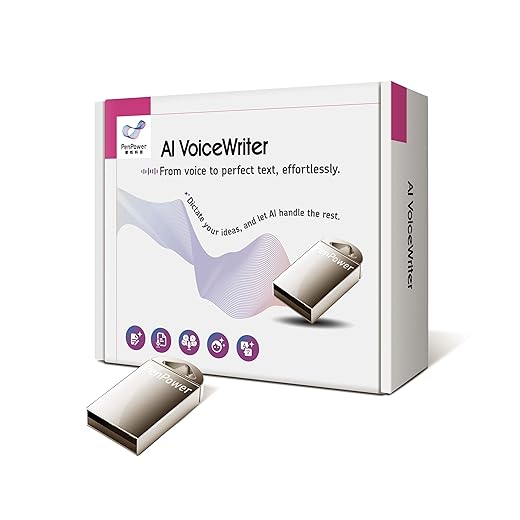
AI VoiceWriter Smart Dictation for Desktop and Mobile
Hands-free multilingual dictation with USB dongle
We use AI VoiceWriter to dictate and edit text hands-free across desktop apps and mobile, with multilingual support and a convenient USB dongle. It boosts our productivity by turning spoken ideas into accurate, editable text without subscription fees.
SEO penalties: thin, duplicate, or low-E-E-A-T content can hurt rankings even if produced rapidly.
Upside: where AI shines
We can scale brainstorms, surface long-tail topic ideas, and run rapid A/B headline tests. Generators accelerate ideation; editors improve readability, brand consistency, and schema/metadata for search.
Quick decision rules (how-to)
Define intent: educate, convert, or entertain?
Pilot 2 articles: one generator-first, one editor-first; measure time, engagement, and rankings.
Combine: generate ideas, then route through an editor plus manual fact-check and SEO pass (SurferSEO/Frase) before publishing.
These practical mappings help us choose the right class of tool for a given content outcome and protect our search visibility while amplifying creative throughput.
2
What AI Content Generators Do Best: Capabilities and Use Cases
What generators are (in plain terms)
We think of generators as fast idea engines: large language models (LLMs) like GPT-4, Claude, and Llama 2 are statistical pattern predictors trained on massive text collections. They don’t “know” facts the way humans do — they predict likely next words based on training data. That makes them brilliant at fluency and scale, but also liable to invent details, echo biases, or repeat memorized snippets. Training data provenance and cutoffs matter — always verify.
Outputs that shine
Generators excel at producing raw creative material quickly:
First drafts and long-form outlines
Idea bursts: headlines, topic clusters, listicles
Social copy and short marketing blurbs
Multi-format spins: blog → tweet thread → LinkedIn post
Rapid A/B variations for headlines and CTAs
Best Seller
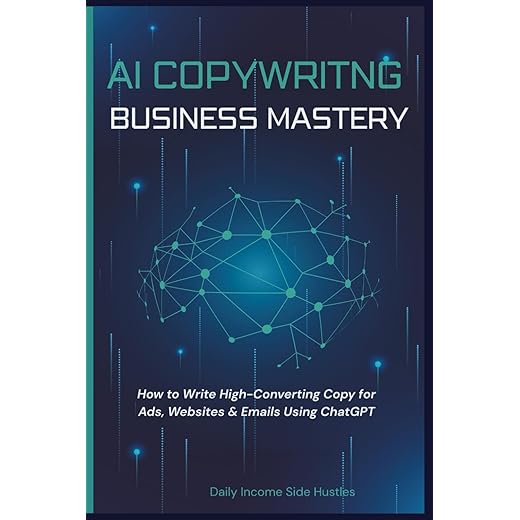
AI Copywriting Business Mastery Guide for Marketers
Write high-converting copy using ChatGPT
We use AI Copywriting Business Mastery to craft high-converting ads, emails, and landing pages by combining proven frameworks with ChatGPT-driven prompts. It teaches practical systems and prompts so we can scale writing faster and sell premium services.
Try prompts like: “Draft a 600-word blog intro on zero-waste packaging aimed at product managers—include 3 quick stats and one counterargument.” Typical turnaround: seconds for short copy, 1–5 minutes for structured drafts. Throughput: one person + generator can produce dozens of headlines or several full drafts per hour.
Common quality gaps & mitigation tips
Hallucinations/fact errors — always add a fact-check step or retrieval-augmented prompts.
Generic phrasing and voice drift — use style samples and few-shot examples.
SEO thinness — seed prompts with keywords and intent; pair with SurferSEO/Frase for topical depth.
Ideal creator scenarios & SEO plays
Generators win when we need speed and scale: editorial calendars, topical clusters, and long-tail keyword drafts. For SEO, fresh, topic-rich drafts accelerate ranking experiments—release a generator-first draft, run an SEO audit, then iterate with an editor and factual sourcing.
3
What AI Content Editors Bring: Precision, Consistency, and Style Control
Editors as refinement engines
We shift from raw creation to refinement: editors take drafts—whether human- or generator-produced—and make them publish-ready. They operate at sentence level (rewrite, shorten, clarify), document level (structure, headings, CTA placement), and page level (on-page SEO, meta guidance). In practice, that means fewer back-and-forths and smoother launches.
Core features that matter
Sentence-level rewrites and paraphrases for clarity and flow
Tone adjustment and brand-voice templates to maintain consistency
Readability scoring and UX-aware trimming (shorter paragraphs, scannable headings)
On-page SEO overlays: keyword density, heading suggestions, and SERP intent checks (e.g., SurferSEO, Frase, Clearscope integrations)
Fact-checking aids or RAG-enabled citation helpers to surface sources
Style guides and global find/replace to lock in terminology (ProWritingAid, Grammarly Business)
Essential
English Grammar Workbook for Adults Self-Study
Practical guide to improve functional writing
We use The English Grammar Workbook for Adults to sharpen practical writing skills with clear explanations and real-world exercises. It helps us write emails, cover letters, and everyday content with more confidence and accuracy.
How editors reduce revisions and boost conversions
We’ve seen editors turn multi-round edits into single-pass approvals by catching tone drift, flagging unsupported claims, and inserting conversion-focused microcopy (meta descriptions, CTAs). For email sequences, editors tighten subject lines and preview text to lift open rates; for scripts, they optimize cadence and stage directions to reduce reshoots.
Practical workflow (how to use an editor today)
Draft with a generator or writer.
Run a sentence-level pass (Wordtune/Grammarly) for clarity.
Apply brand voice/profile and global consistency checks (ProWritingAid/Grammarly Business).
Layer SEO audit (SurferSEO/Frase) and implement heading/keyword fixes.
Run fact-check/RAG for claims, then export to CMS with tracked edits.
Use editor presets and integrations (Google Docs, WordPress) to eliminate copy-paste friction and keep publishing velocity high.
4
Generator vs Editor: A Clear Comparison and Decision Matrix
We cut through the noise: the “Generator vs Editor” choice is practical, not partisan. Below we compare core metrics and give a quick decision matrix you can apply to your projects.
Side‑by‑side across key metrics
Creativity vs fidelity
Speed vs control
Output variability
SEO‑readiness
Time‑to‑publish
Costs
Required human oversight
We find generators (GPT-4, Claude 2, Jasper) win on creativity and speed—often reducing first‑draft time by 2–5x—while editors (Grammarly Business, ProWritingAid, Frase, SurferSEO) win on fidelity, brand consistency, and SEO polish. Generators produce variable outputs that need curation; editors impose constraints and lower revision cycles.
Decision matrix: plug in priorities, get a workflow
Priority: Speed (launch fast) Recommendation: Generator-first (GPT-4/Jasper) → light editor pass (Grammarly) → quick publish. Good for social, newsletters.
Priority: Brand voice & accuracy Recommendation: Editor-led (ProWritingAid + human PM) → limited generation for ideas or rewrites. Best for evergreen content, product messaging.
Priority: SEO & conversions Recommendation: Generator for outlines (Claude/GPT-4) → Frase/SurferSEO audit → editor pass for on‑page and CTAs. Use Clearscope for enterprise keywords.
Priority: Cost sensitivity Recommendation: Open-source/light generators (Llama 2 via local infra) + editor templates. Increase human oversight selectively.
Quick tip: always set mandatory human sign‑offs for factual claims and legal copy. Next, we show practical templates and prompts to operationalize these workflows.
5
How Creators Should Choose: Workflow Design, Costing, and Integrations
Match tools to creator type and tech stack
We map choices to real roles: a solo podcaster needs lightweight transcript cleanup (editor-first), an agency writer needs scalable generation + collaboration (generator + editor), an indie maker needs cost-efficient automation (open-source models + editor templates), and a YouTuber needs script generation plus DAM integration. Check CMS (WordPress/Contentful), DAM (Bynder/Cloudinary), and analytics (GA4/Search Console) compatibility before buying.
Best Value
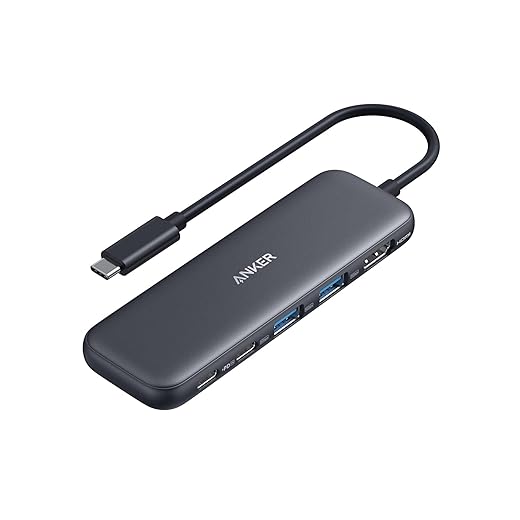
Anker 5-in-1 USB-C Hub with 4K HDMI
85W pass-through charging and 5Gbps data
We use the Anker 5-in-1 USB-C Hub to add 4K HDMI output, fast 5Gbps data ports, and up to 85W pass-through charging to our laptops. It keeps our workstations compact while powering monitors and accessories reliably.
Use representative content (one long-form article, five short posts, two scripts).
Track KPIs: time-to-first-draft, revision count, SEO position change, and engagement lift.
Involve the real team: writer, editor, SEO specialist, CMS admin.
Evaluation criteria checklist
API access and rate limits
Versioning & model transparency (model name/date)
Team collaboration: roles, comments, SSO, audit logs
Content ownership & data retention policies
Export formats (Markdown, HTML, XML sitemap ready)
Plugin availability (WordPress, Google Docs)
Security: SOC2, encryption, GDPR compliance
Cost / benefit framework (quick calc)
Estimate hourly savings × hourly rate − subscription = net ROI. Example: save 5 hours/week × $40/hr = $200; monthly subscription $100 → $100/month net. Add implementation costs (training, integration) once; treat them as amortized over 6–12 months.
Integration tips for SEO pipelines
Automate schema markup snippets from editor templates (Article, FAQ).
Ensure outputs include canonical tags and meta fields for your CMS.
Integrate with editorial calendars (Asana/Trello) to auto‑populate deadlines and brief links.
Hook edits to analytics: tag AI-drafted content for A/B testing and retention tracking.
Procurement checklist & pilot rubric
Must-haves: API, versioning, team roles, export to CMS.
Nice-to-haves: built-in SEO audit, DAM connector, cost caps.
Pilot rubric (0–5): Speed, Quality, SEO impact, Collaboration, Cost — require average ≥3.5 to expand.
We recommend starting small, measuring tightly, and iterating the workflow as signals come in.
6
Putting the Choice Into Practice: Implementation Checklist, SEO Tactics, and Sample Prompts
Implementation checklist (pilot-ready)
Pilot goals: time-to-first-draft reduction, organic sessions uplift, and revision rate drop.
Metrics: draft time, edits per piece, SERP position, CTR, and engagement (time on page).
Editorial roles: owner (content lead), SME reviewer, SEO specialist, CMS publisher.
Rollback plan: tag AI-drafted posts, keep original drafts in version control, and schedule a manual review window (48–72 hours) before publish.
Timeline: 2–4 week pilot, weekly checkpoints, final decision at 4 weeks.
Must-Have
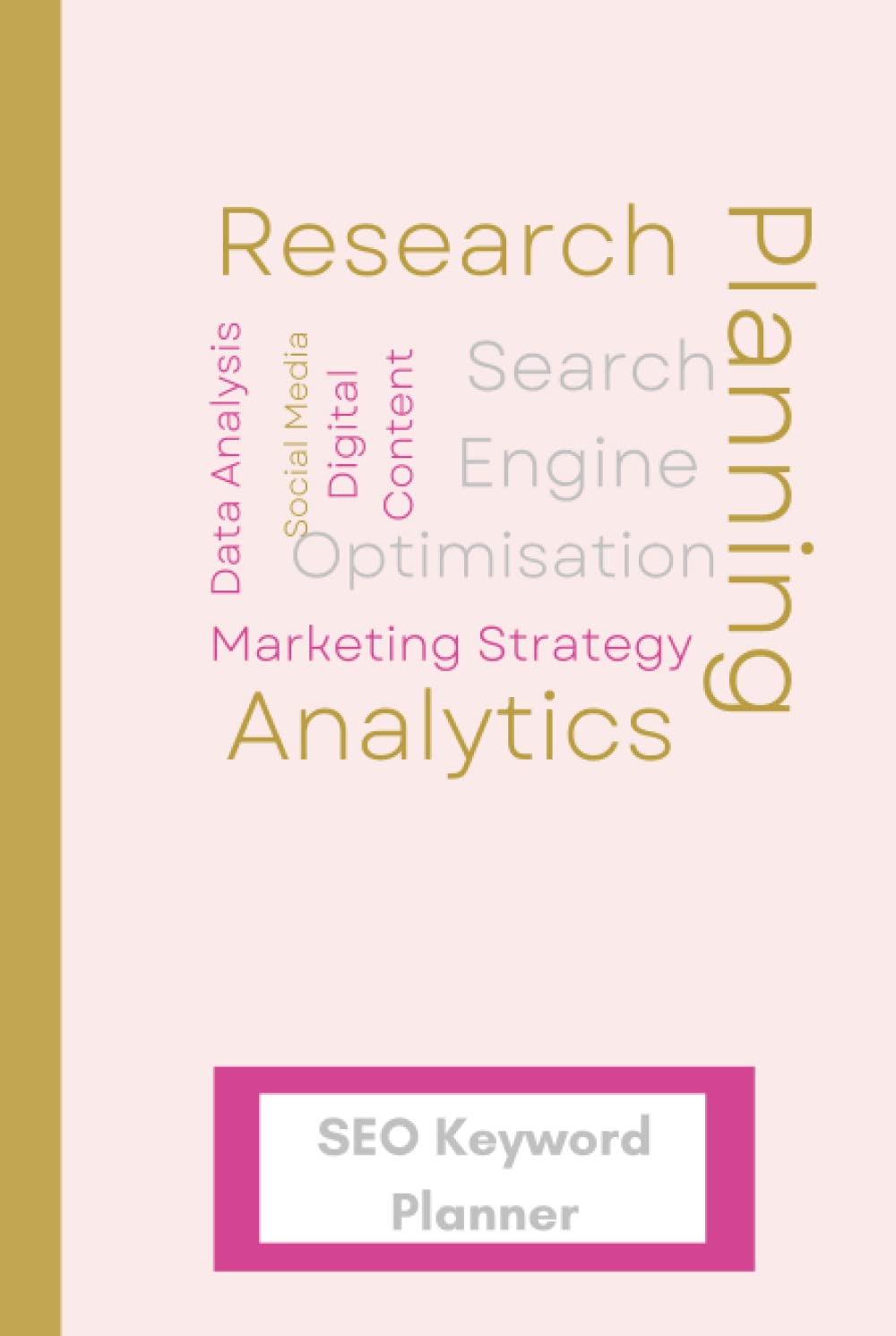
SEO Keyword Planner Notebook for Content Strategy
Organize keywords and improve search performance
We use this SEO Keyword Planner notebook to organize research, track keyword performance, and plan content with focused clarity. It helps us make data-driven decisions and stay consistent in building search-friendly content.
Intent alignment: confirm primary user intent (informational/commercial/navigational) before finalizing H1/H2.
Keyword prominence: place primary phrase in H1, first 100 words, and 1–2 H2s naturally.
Internal linking: add 2–4 contextual internal links to high‑authority pages; use descriptive anchor text.
Meta optimization: craft title ≤60 chars, meta description ≤155 chars with CTA and key phrase.
Structured data: add Article/FAQ schema and confirm canonical URL.
Readability & EAT: short paragraphs, evidence links, and author byline with credentials.
Tested prompt templates (generator + editor)
Generator (article outline): “Create a 7-section outline for a 1,800-word article on [topic], audience: intermediate developers, include keywords: [primary], [secondary], and suggest 3 FAQ snippets.”
Generator (first draft): “Write a 1,500-word draft from the outline above, voice: clear professional, include H2s, examples, and one case study about a small SaaS.”
Editor (brand voice): “Rewrite the following draft to match our voice: energetic, concise, 2nd person, maintain facts, and cut fluff by 20%.”
Editor (SEO polish): “Optimize this article for [primary keyword]: improve headings, add internal links to [page A] and [page B], tighten meta, and add FAQ schema.”
Evaluation framework
Quality scorecard: accuracy (0–5), clarity (0–5), SEO fit (0–5), publish readiness (0–5).
A/B tests: AI-draft vs human-draft same topic; measure CTR, dwell time, and conversions over 4 weeks.
ROI tracking: time saved × hourly rates − subscriptions; track content-attributed revenue uplift quarterly.
Now we’ll tie these tactics into our overall verdict and next steps.
Our Verdict: Choose by Outcome, Not Hype
We recommend choosing tools by outcome: use generators for speed and ideation, editors for precision and brand voice, or a hybrid pipeline that pairs both. In the Generator vs Editor debate, prioritize measurable goals — time-to-publish, engagement, conversion — and keep human oversight at every step. Maintain SEO discipline, version control, and a testing cadence so quality scales without drifting.
Run a quick pilot with our checklist, track the metrics that matter, and iterate rapidly. We urge us all to experiment boldly, learn fast, and let results decide the stack. Start your pilot this week.
This post contains affiliate links. Purchases may earn me a commission at no extra cost to you.
The comparison table was my favorite — especially the part about editors offering ‘style control’. Generators give you volume, but editors let you be consistent across campaigns.
Also, that SEO Keyword Planner Notebook idea is brilliant for collaborative sessions — sticky notes don’t scale 😂
Really liked the decision matrix section — finally something that makes the generator vs editor choice feel less like a coin flip.
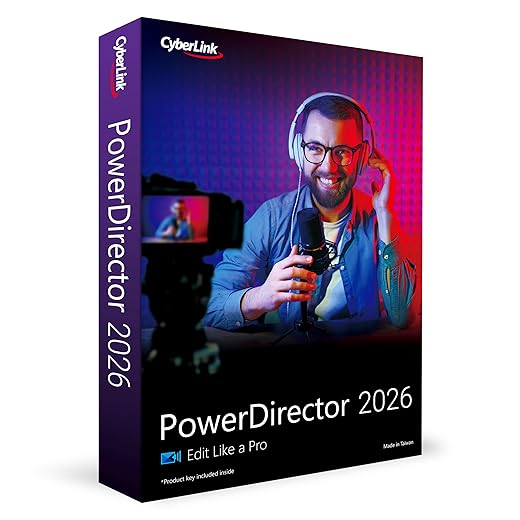
I tested PowerDirector 2026 AI Video Editor on a short promo and the generator got the first draft done fast, but the editor features were what made it actually publishable. Workflow-wise: generator for ideation, editor for polish.
Also appreciated the checklist — the sample prompts were super helpful for voiceovers (used with AI VoiceWriter Smart Dictation).
Great article. A few takeaways I actually implemented this week:
– Used the SEO Keyword Planner Notebook to map topics before feeding prompts to a generator
– Ran drafts through the English Grammar Workbook exercises (weirdly therapeutic) to catch tone shifts
– Used AI VoiceWriter for quick narration drafts
The ‘How Creators Should Choose’ section helped me structure costing and integration — saved me money by avoiding overlap between tools. Anyone else tried combining the copy guide with the grammar workbook? Curious about the workflow.
Nice workflow, Priya. Pairing a copy guide with a grammar workbook is a smart way to keep creative voice intact while ensuring correctness. Would love to hear example prompts you used.
Obsessed with the PowerDirector 2026 section — the AI-assisted cuts saved me hours. 🙌
Also loved the sample prompts for voiceovers. Quick question: does anyone pair the VoiceWriter with the SEO Keyword Planner Notebook for spoken content outlines?
Helpful, balanced piece. One thing I bookmarked: ‘Put the choice into practice’ checklist. The implementation steps are practical — especially the SEO tactics paired with sample prompts.
Also, pro tip: if you’re recording audio, try pairing AI VoiceWriter with a decent mic and the Anker hub for fewer distractions.
Good overview. I wish there was more about real-world costs (subscriptions + hardware). A lot of creators forget the little things like USB-C hubs for multi-mon setups. The Anker 5-in-1 USB-C Hub with 4K HDMI was mentioned — that’s a lifesaver for compact desks.
Loved the ‘framing the choice’ intro. It set the tone for the whole piece. A few scattered thoughts/questions:
1) For longform video, is PowerDirector 2026 enough or should I layer other editor tools?
2) Any tips for integrating AI VoiceWriter into batch workflows?
3) The SEO Keyword Planner Notebook seems low-tech but effective — agree with the article on that.
Hi Linda — PowerDirector 2026 can handle most longform needs, but some creators like to use it alongside specialized audio tools for fine-tuned sound design. For batch VoiceWriter workflows: create consistent prompt templates and a naming convention for files.
This felt like being handed the keys to the candy store 🍬
I bought the AI Copywriting Business Mastery Guide last month and paired it with a generator for email campaigns. The generator gave me 10 cold email variations in 2 mins, but I needed the guide to pick the tone and subject lines that don’t scream ‘robot’. Also, grammar workbook fixed my cringe commas lol.
Few typos in the article (minor) but overall solid — liked the examples section.







The comparison table was my favorite — especially the part about editors offering ‘style control’. Generators give you volume, but editors let you be consistent across campaigns.
Also, that SEO Keyword Planner Notebook idea is brilliant for collaborative sessions — sticky notes don’t scale 😂
Glad you liked the table, Nina. Style control is often underestimated until a client asks for consistency across 50 pieces.
We printed a dozen pages and did a hackathon — super effective.
Tried that notebook in a team workshop — made keyword mapping way less chaotic.
Really liked the decision matrix section — finally something that makes the generator vs editor choice feel less like a coin flip.
I tested PowerDirector 2026 AI Video Editor on a short promo and the generator got the first draft done fast, but the editor features were what made it actually publishable. Workflow-wise: generator for ideation, editor for polish.
Also appreciated the checklist — the sample prompts were super helpful for voiceovers (used with AI VoiceWriter Smart Dictation).
Which PowerDirector preset did you use for the promo? Trying to decide if I should buy the full version or just a trial first.
Thanks Sarah — glad the matrix was useful. Totally agree: generators speed things up, editors often save reputations 😂
100% — generators are like fast food, editors are the chef who makes it edible 😆
Short and sweet: the article made me stop hoarding tools. Good reminder to pick based on workflow, not shiny features.
Amen. I had 7 subscriptions and now I’m down to 3. Wallet thanks me.
Exactly — tool bloat is real. Lean workflows win in the long run.
Great article. A few takeaways I actually implemented this week:
– Used the SEO Keyword Planner Notebook to map topics before feeding prompts to a generator
– Ran drafts through the English Grammar Workbook exercises (weirdly therapeutic) to catch tone shifts
– Used AI VoiceWriter for quick narration drafts
The ‘How Creators Should Choose’ section helped me structure costing and integration — saved me money by avoiding overlap between tools. Anyone else tried combining the copy guide with the grammar workbook? Curious about the workflow.
Nice workflow, Priya. Pairing a copy guide with a grammar workbook is a smart way to keep creative voice intact while ensuring correctness. Would love to hear example prompts you used.
Yesss that notebook is underappreciated. I scribble long-tail ideas in it at cafés ☕️
I do something similar but also keep an ‘exceptions list’ when the writer’s voice intentionally breaks grammar rules. Helps maintain style.
I mix the Copywriting guide for headlines and the Grammar workbook for final checks — works well for blog posts.
Obsessed with the PowerDirector 2026 section — the AI-assisted cuts saved me hours. 🙌
Also loved the sample prompts for voiceovers. Quick question: does anyone pair the VoiceWriter with the SEO Keyword Planner Notebook for spoken content outlines?
Yep — a common workflow is: keyword notebook -> outline prompts -> VoiceWriter draft -> editor pass. Keeps SEO intent intact in audio content.
Helpful, balanced piece. One thing I bookmarked: ‘Put the choice into practice’ checklist. The implementation steps are practical — especially the SEO tactics paired with sample prompts.
Also, pro tip: if you’re recording audio, try pairing AI VoiceWriter with a decent mic and the Anker hub for fewer distractions.
Great tip, Emily. Hardware still matters — a good mic and stable connection make the AI voice output way cleaner.
Totally — saved me from a ton of sync headaches when streaming. Anker hub FTW.
Good overview. I wish there was more about real-world costs (subscriptions + hardware). A lot of creators forget the little things like USB-C hubs for multi-mon setups. The Anker 5-in-1 USB-C Hub with 4K HDMI was mentioned — that’s a lifesaver for compact desks.
Loved the ‘framing the choice’ intro. It set the tone for the whole piece. A few scattered thoughts/questions:
1) For longform video, is PowerDirector 2026 enough or should I layer other editor tools?
2) Any tips for integrating AI VoiceWriter into batch workflows?
3) The SEO Keyword Planner Notebook seems low-tech but effective — agree with the article on that.
Thanks for a practical read!
I layer with a noise-reduction plugin for audio — makes a huge difference.
Hi Linda — PowerDirector 2026 can handle most longform needs, but some creators like to use it alongside specialized audio tools for fine-tuned sound design. For batch VoiceWriter workflows: create consistent prompt templates and a naming convention for files.
If you need advanced color grading, sometimes a dedicated grading app complements PowerDirector.
Agree with admin. Templates are everything. File naming + versioning saved my sanity.
I export raw audio from VoiceWriter and batch process in an editor — saves time if you have a consistent pipeline.
Also make sure your Anker hub supports enough bandwidth if you’re dealing with multiple 4K feeds.
This felt like being handed the keys to the candy store 🍬
I bought the AI Copywriting Business Mastery Guide last month and paired it with a generator for email campaigns. The generator gave me 10 cold email variations in 2 mins, but I needed the guide to pick the tone and subject lines that don’t scream ‘robot’. Also, grammar workbook fixed my cringe commas lol.
Few typos in the article (minor) but overall solid — liked the examples section.
Careful with cold emails — GDPR & anti-spam stuff can bite. Always get permission where possible.
Haha about the commas 😂. I always run a final pass with a grammar tool even if the editor is supposed to handle it.
Which generator did you use for the emails? I’m experimenting with a couple and could use recommendations.
Thanks Carlos — glad the guide + generator combo worked. Appreciate the heads-up about typos; we’ll patch those soon.
Also curious about the cadence you used for cold emails. Any A/B wins?