

Why Securing AI Tools and Privacy Matters for Remote Developers
We move fast, but remote work multiplies attack surface and risk. Leaky credentials, exposed datasets, prompt injection, and third‑party model risks are real. This guide, How We Secure AI Tools and Protect Privacy as Remote Developers, explains why security and privacy are non‑negotiable.
We focus on practical, developer‑first controls: hardened environments, secret management, privacy‑first data flows, safe prompts, and model access policies. Our approach blends secure development, privacy‑by‑design, and continuous monitoring so distributed teams can move fast without exposing users or IP. Follow this guide to build repeatable, auditable controls that scale with remote work. We target clear steps, checklists, and scripts for immediate use. Start securing AI with us.

Harden Our Remote Development Environment
We start by building a secure baseline so developers can experiment with models without widening the attack surface. Small choices—disk encryption, least‑privilege accounts, a hardened browser—prevent big leaks.
Device hygiene: macOS, Windows, Linux
Multi‑factor auth & hardware tokens
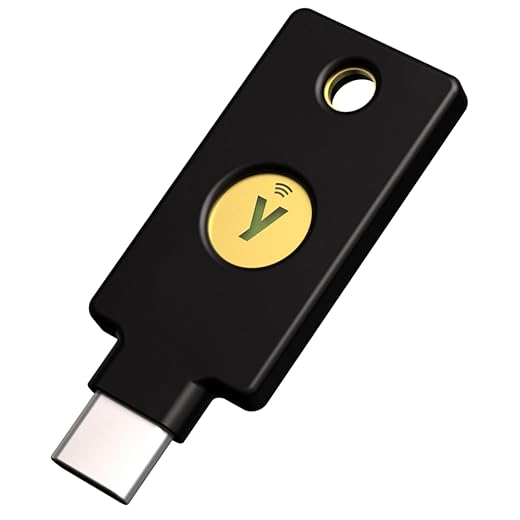
We require MFA for all accounts and prefer hardware tokens (YubiKey 5 NFC, Feitian) for SSO and SSH via WebAuthn. Hardware keys reduce phishing and credential theft significantly for remote teams.
Managed endpoint security & patching
Use EDR (CrowdStrike, Microsoft Defender) + MDM to enforce baseline apps and OS patch cadence. Automate patching and test rollouts; aim for critical/patch deployment within 48–72 hours.
Secure browser setup for web‑based AI tools
We maintain a dedicated, hardened browser profile for AI tools: extension allowlist, strict site isolation, disable password autofill, and enable HTTPS‑only. Consider using Brave, hardened Chrome, or a dedicated containerized browser session.
Network access: VPN vs ZTNA
For legacy services we use WireGuard/OpenVPN. For SaaS and model endpoints we prefer ZTNA (Cloudflare Access, Tailscale/ACLs, Google BeyondCorp) to minimize lateral movement and avoid exposing entire networks.
Least‑privilege & SSO + RBAC
Integrate SSO (Okta, Azure AD, Google Workspace) with role-based access. Map developer roles to minimum scopes, enforce short token lifetimes, and use ephemeral credentials for CI.
Quick onboarding checklist for new devs:
We apply these controls consistently so secure AI tools and privacy become the default posture for every remote developer.
Protect Credentials, Secrets, and Model Access
We build on our hardened environment by locking down the single most-used attack surface: secrets. In remote workflows, a leaked API key or model token is an instant blast radius. Below are practical patterns we use to keep keys out of code, short-lived, and scoped to the minimum required access.
Use a secrets manager and avoid hard-coded secrets
We standardize on vaults: HashiCorp Vault for multi-cloud teams, AWS Secrets Manager or Parameter Store for AWS-first stacks, and Google Secret Manager or Azure Key Vault for their clouds. Never commit credentials; instead, inject them at runtime.
Ephemeral credentials, short-lived tokens, and scoped model access
We favor short-lived, least-privilege credentials: AWS STS, GCP IAM token exchange, or Vault-issued dynamic secrets. For model APIs, create per-project keys with minimal scopes (inference-only, no billing), and limit IP/rate ranges where supported.
Secure CI/CD injection and notebook guardrails
Inject secrets into CI jobs via platform secrets (GitHub Actions secrets, GitLab CI variables) or Vault agents; never echo them to logs. For notebooks and collaborative editors, use sidecar secret fetchers (Jupyter Enterprise Gateway, Vault-backed envs), disable persistent histories, and enforce pre-commit hooks to strip outputs.
Sample secrets workflow (practical)
Detect and automate leak response
Install pre-commit scanners (detect-secrets, git-secrets), run repo scanners in CI (TruffleHog, GitGuardian), and alert on any token use from unusual IPs. Automate immediate rotation and revoke on detection; we once rotated a compromised key in under five minutes with an automated playbook.
Next, we’ll apply these access controls to the data plane—designing privacy-first data workflows that keep sensitive inputs out of models.
Design Privacy-First Data Workflows for AI Development
We take a “privacy-first” posture so our models learn useful patterns without absorbing or exposing personal data. Below are concrete techniques we use to minimize personal data exposure while training, evaluating, and iterating.
Data minimization and selective sampling
We only collect what’s necessary: limit fields, reduce sampling frequency, and sample at aggregate levels where possible. Our practical checklist:
Anonymization, pseudonymization, and synthetic data
We transform before training: pseudonymize IDs, hash salts for joinability, and run k-anonymity checks (k≥5 or higher depending on risk) with tools like ARX or sdcMicro. For high-risk records we generate synthetic cohorts using Gretel.ai, Mostly AI, or Synthesized to validate pipelines without real PII.
Differential privacy and token-level redaction
For model training we apply differential privacy (DP) using Opacus (PyTorch) or TensorFlow Privacy (DP-SGD) to bound per-example influence. For LLM prompts, we redact at the token level: detect emails, SSNs, and custom patterns via Google DLP or regex/tokenizer hooks and replace tokens with stable placeholders so context remains but PII is removed.
Secure storage, access auditing, and retention
Encrypt data at rest (AES-256) and in transit (TLS 1.2+). Enforce least-privilege IAM, enable CloudTrail/AWS Macie/GCP Access Transparency for dataset access logs, and automate retention: TTLs that delete or archive raw PII after a defined period.
Sandboxed datasets for experiments
We maintain isolated sandboxes with synthetic or heavily redacted datasets for exploratory experiments and notebook sessions. Developers use ephemeral credentials and auditing so accidental exfiltration is limited and traceable.
These practices let us iterate quickly while keeping personal data out of models and out of hands it shouldn’t reach.
Secure Prompts, Model Interactions, and API Usage
Interacting with LLMs creates new attack surfaces. We break down the risks and show concrete mitigations for secure prompts, model interactions, and API usage so our remote teams can build fast without leaking data.
Prompt injection and defenses
Prompt injection is real—malicious inputs can change model behavior. We defend by:
Policy enforcement for sensitive outputs
We enforce output policies with safety layers: system messages (OpenAI/Anthropic), output filters, and post-generation classifiers (tiny classifiers hosted in our VPC) to detect PII, legal-opinion leakage, or export-controlled content.
Client-side vs. server-side inference trade-offs
We weigh latency and privacy:
Guarding against model memorization
Models can memorize secrets. We mitigate by never embedding secrets in prompts, rotating keys, monitoring for secret-like tokens in outputs, and using differential-privacy training if we fine-tune.
Intermediary sanitization services
We run a proxy layer between clients and models that:
Example: for an internal tool we replaced raw user notes with stable placeholders, then resolved them server-side after authorization.
Testing strategies and automated checks
We add CI checks: prompt linters, adversarial injection tests, PII regex scanners, and fuzzing that simulates hostile prompts. These run pre-merge so unsafe prompts never reach prod.
Governance, Compliance, and Third-Party Risk Management
We’ve tightened prompts and hardened endpoints — now we add the scaffolding that keeps those controls accountable across distributed teams. Governance turns ad-hoc safety into repeatable, auditable practice.
Model inventory and data lineage
We inventory every model, dataset, and pipeline with metadata: owner, purpose, training data sources, inputs allowed, risk level, and retention policy. Tagging and lineage lets us answer “where did this output come from?” in seconds.
Suggested tooling: MLflow or Weights & Biases for model metadata; Amundsen/Databricks Unity Catalog for data lineage. Small teams can start with a shared Git repo + CSV manifest.
Third‑party AI vendor risk assessments
For each vendor (OpenAI, Anthropic, Hugging Face, AWS Bedrock, boutique vendors) we run a short vendor review:
Quick vendor questionnaire template items:
Include contract clauses: permitted data uses, audit rights, data residency, breach notification timelines, indemnity limits, and explicit prohibition on model reuse or training on our sensitive data.
Model cards, PIAs, and approval gates
Document model cards and Privacy Impact Assessments (PIAs) for higher‑risk models: scope, data sources, known biases, mitigation, and escalation path. Embed these artifacts into PR templates so every model change surfaces required reviews.
Lightweight audit playbook (quarterly):
We’ve caught shadow-deployments before by coupling inventory checks with simple CI gates — next up, we’ll show how to automate those gates inside our CI/CD and monitoring pipelines.
Operationalize Security: CI/CD, Monitoring, and Incident Response for AI
We bake security into our software lifecycle so protections are automated and observable. Below are concrete steps we use to make CI/CD, monitoring, and incident response part of everyday remote development.
Secure CI/CD for model builds and deployments
We treat model builds like code builds: immutable artifacts, signed containers, and gated deploys. Our checklist:
Automated tests, SAST/DAST for AI integrations
We add automated checks to catch leakage and unsafe prompts early:

Observability: anomaly detection, drift monitoring, privacy-safe telemetry
We instrument models for behavior, not raw data. Key practices:
Centralized logging, incident playbooks, and exercises
Centralize logs with redaction rules (ELK/Splunk) and alert on suspicious patterns (token exfil, repeated sensitive outputs). Our AI incident playbook (short form):
Next, we wrap these operational practices into how we make secure, private AI the default across remote teams.
Making Secure, Private AI Our Default for Remote Teams
We’ve outlined pragmatic steps to harden our remote development environment, protect credentials and model access, design privacy-first data workflows, secure prompts and APIs, manage governance and third-party risk, and operationalize CI/CD, monitoring, and incident response. By adopting privacy-by-design and automation-first security we reduce human error, scale protections, and make securing AI tools and protecting privacy as remote developers repeatable and measurable.
Make this an operational priority: run a focused sprint to implement the top three defenses in your stack. Fast checklist: enforce device hardening, centralize secrets and model access controls, automate monitoring and alerting. Commit to continuous testing, clear governance, and iterate—security is ongoing, not one-off. Let’s start the sprint today.






Long-ish rant incoming (sorry lol):
1) People undervalue prompt security. If your prompts leak PII to third-party APIs, you’re toast.
2) Use a model-interaction proxy or local model where possible.
3) For secrets in prompts, NEVER hardcode; use a runtime secrets fetcher.
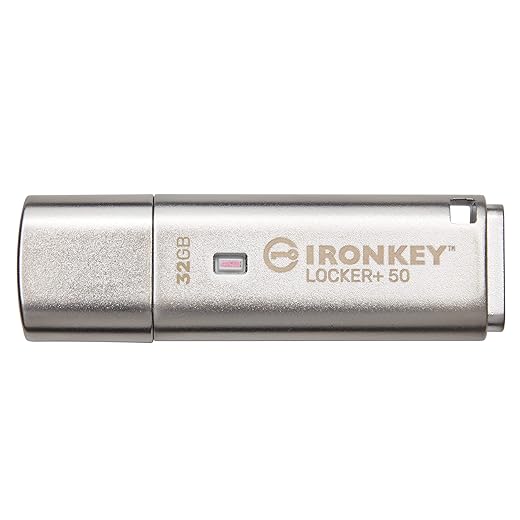
Also, Kingston IronKey + YubiKey combo saved my project once when a laptop died. Highly recommend. 😉
Local models are great but not always feasible. A proxy that strips PII is a realistic compromise for many teams.
Recruiting product teams into the security playbook is key — thanks for the shout-out to ops+PM alignment.
Haha love the rant — prompt hygiene should be part of code reviews for any AI-related PR.
Totally — proxy + masking = practical. Also, train PMs to not paste customer emails into prompts. 🙈
Agree — we added an automated prompt scanner in CI to flag potential PII before prompt templates get merged.
Absolutely agree on prompt hygiene. The article recommends model proxies and masking sensitive fields before sending to APIs. Glad to hear the hardware combo worked for you!
Love the real-world product recs (YubiKey, IronKey, TP-Link). One small thing: for folks using Macs, double-check USB-C compatibility (YubiKey 5C NFC is great, but adapters can be finicky).
Also, the section on third-party risk felt a bit short — maybe add a vendor risk assessment template?
Good call on vendor templates. We’ll add a sample vendor risk checklist in the next update. And yes, USB-C compatibility notes are helpful for Mac users.
We maintain a vendor matrix (security posture, SOC2 status, data residency) — makes third-party decisions faster and safer.
I like the ‘Operationalize Security’ section. Continuous monitoring for API usage is a lifesaver.
One tiny nit: the article should call out cost implications of logging everything (especially model I/O). Anyone else felt the logging/storage bill creep?
Yes — we tier logs and only keep full model I/O for a short retention period. Aggregate metrics longer term. Saves cash and still useful for forensics.
Neutral take: the whole piece is useful, but I wish there were more vendor comparisons (e.g., Pocket Password Safe vs. other vaults). Still, good practical suggestions overall.
This article is timely. A few constructive thoughts:
– The ‘Protect Credentials’ section could use a list of recommended rotation frequencies.
– Would be nice to see a short checklist for onboarding new remote devs with these tools.
Also, pro tip: pair Kingston IronKey with offline backups. Don’t rely on a single encrypted USB for long-term storage.
Agree on rotation. We set automated rotation in our secrets manager and force MFA re-enrollment quarterly — it’s annoying but reduces risk.
Thanks, Sophia — solid suggestions. We should include recommended rotation cadence (e.g., service tokens every 30-90 days, human passwords per org policy) and an onboarding checklist in a follow-up. Good call on backups for IronKey.
Backup tip noted. I once lost access to a single encrypted USB and it was a nightmare. 😬
Onboarding checklist idea: 1) YubiKey enrollment, 2) VPN (TP-Link config), 3) install McAfee on personal dev machines, 4) register Pocket Password Safe. Simple but effective.
Love Marcus’ checklist — we’ll consider adding a templated checklist to the article.
Not convinced about recommending McAfee Total Protection for dev machines — any reason it’s called out specifically? I worry AV suites interfering with dev tools (docker, local servers).
We use a lightweight endpoint solution with exclusions for Docker and haven’t had problems. The important thing is consistent policy across remote devices, not necessarily the specific vendor.
Fair criticism. McAfee was suggested as an example of endpoint protection; the article emphasizes choosing solutions that are developer-friendly and have allow-listing to avoid conflicts with containers and local dev servers. If McAfee causes issues, alternatives or configuring exclusions is recommended.
Short story: we rolled out YubiKey 5C NFC to the team and enrollment friction was low. Couple tips:
1) Have spare keys (people lose them)
2) Use Kingston IronKey for any physical backups
Also — remember to document recovery flows for remote devs.
Agree — we keep a few spares in secure custody and require registration so lost keys are instantly deactivated.
Thanks for sharing those tips, Amelia. Recovery flows are critical — we’ll add a small section on key loss procedures and spares.
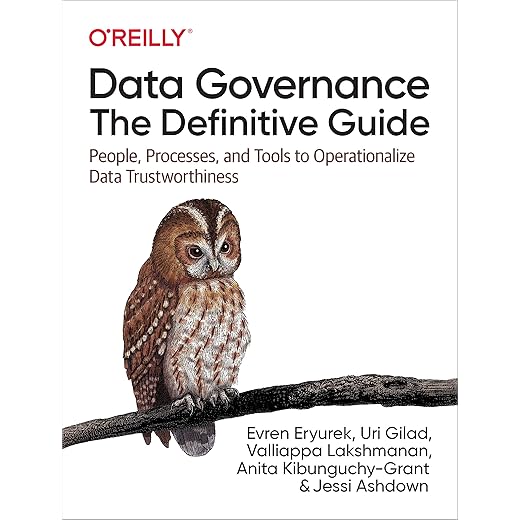
Thumbs up for the ‘Data Governance’ pointer — the Data Governance guide was actually super practical. Implementing data lineage helped us identify which datasets should never leave the vault.
PS: Pocket Password Safe Vault with PIN Access is really handy for team password sharing.
We annotate dataset metadata at creation time and use automation to tag derived datasets. Ephemeral ones get auto-deleted after a TTL and flagged as ‘non-retainable’.
Thanks for the feedback, Grace. Data lineage is often overlooked and it’s great for narrowing attack surface. Glad the guide helped.
How do you handle data lineage for ephemeral datasets or synthetic data? Curious about your process.
Automation and typing metadata at source are key — thanks for sharing the TTL approach.
Okay, small rant: please stop using gist files for storing API keys. 😂
Seriously though, the Pocket Password Safe Vault with PIN Access + Kingston IronKey is my preferred combo for offline and team sharing. Also — test your incident response for AI-specific leaks (like accidentally sending training data to a public chat model).
We simulate ‘prompt leak’ incidents and it revealed gaps in who has API write perms. Fixed that pretty fast.
Haha — ‘legendary’ is the right word for gist leaks. 👀
Gist key leaks are legendary. We had to rotate keys across all services after a one-line script exposed a secret once.
Simulation findings are often the best education for teams. Good method.
Absolutely — accidental model leaks are a real incident scenario and should be part of tabletop exercises. Thanks for the reminder!
Incident tests are painful but worth it. Make them low-stakes and frequent.
Great breakdown — I especially liked the parts about hardening remote environments and protecting credentials. The suggestion to use YubiKey 5C NFC for MFA is solid.
Quick question: has anyone integrated YubiKey with CI/CD pipelines for automated deployments? I’m nervous about tying hardware keys to automated processes.
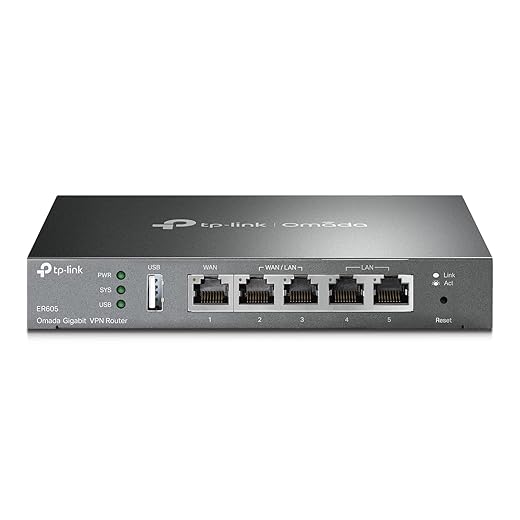
Also, minor nit: the router recommendation (TP-Link ER605 V2) — does that play nicely with split tunneling setups for dev VMs?
We use hardware keys for approvals but not for actual automated deploy keys. We store deploy keys in an encrypted vault (like the Pocket Password Safe Vault) and rotate frequently. Works well for us.
TP-Link ER605 V2 here — it’s decent for small teams. If you expect complex policies, consider a more enterprise-grade appliance, but for remote devs it gets the job done.
Good point, Ethan. For CI/CD, teams usually use hardware-backed keys for human auth and service principals or vaulted tokens for automation. The article recommends using a secrets manager (and devices like Kingston IronKey) for non-interactive secrets. As for TP-Link, it supports policy-based routing that can handle split tunneling, but test in a staging network first.
Bit of sarcasm: ‘Make secure, private AI our default’ — yeah, easy to say when you’re not dealing with 47 legacy tools 😂
But seriously, the governance and third-party risk sections had practical steps to start chipping away at legacy sprawl (vendor rationalization, access reviews). Liked that.
Relatable. Also helpful: set a future cut-off date for tools you don’t actively use and enforce it.
Totally — legacy tech is the hardest part. The article tries to provide incremental steps so teams can start small and iterate. Vendor rationalization is a marathon, not a sprint.
We did a ‘sunset sprint’ where every team had to justify each third-party. Painful but effective.
Short and sweet: love the privacy-first workflows section. The advice to anonymize training data before using models saved me from a potential legal headache.