

Are we ready to crown a Web3 powerhouse — in our hands-on showdown, we reveal whether the Legion Pro 7i’s ruthless multitasking or the Alienware m18 R2’s raw GPU muscle will fuel the next era of blockchain gaming and decentralized apps?
We pit two desktop-replacement beasts: Lenovo Legion Pro 7i vs Alienware m18 R2. We focus on raw specs, Web3-friendly performance, and real value to help gamers, creators, and blockchain pros pick the true powerhouse for today’s and tomorrow’s decentralized workflows—fast, efficient, reliable, with benchmarks, thermals, battery, and connectivity tests included.
Competitive Portable

We find this chassis to be a performance-first 16″ gaming laptop that balances blistering CPU/GPU power with a color-accurate, high-brightness screen. Its cooling and IO are excellent for sustained loads, though portability and reported thermal/noise quirks keep it from being flawless.
Desktop Replacement

We see this as a desktop-replacement machine that prioritizes screen size and expandability for power users and creators. It delivers flagship CPU/GPU performance, but its large chassis and premium price mean it’s best for those who want a mobile workstation rather than a daily commuter laptop.
Legion Pro 7i
Alienware m18 R2
Legion Pro 7i
Alienware m18 R2
Legion Pro 7i
Alienware m18 R2
Design, Build and Displays — 16″ Precision vs 18″ Immersion
Chassis, weight and ergonomics
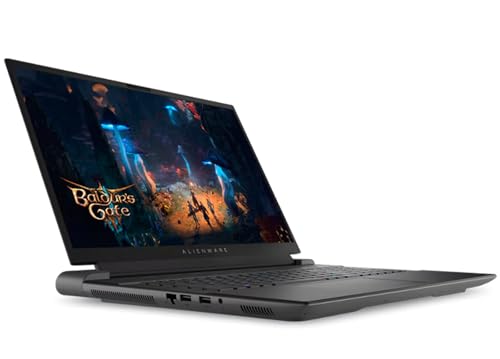
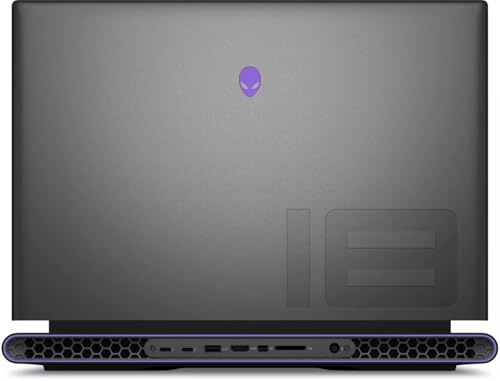
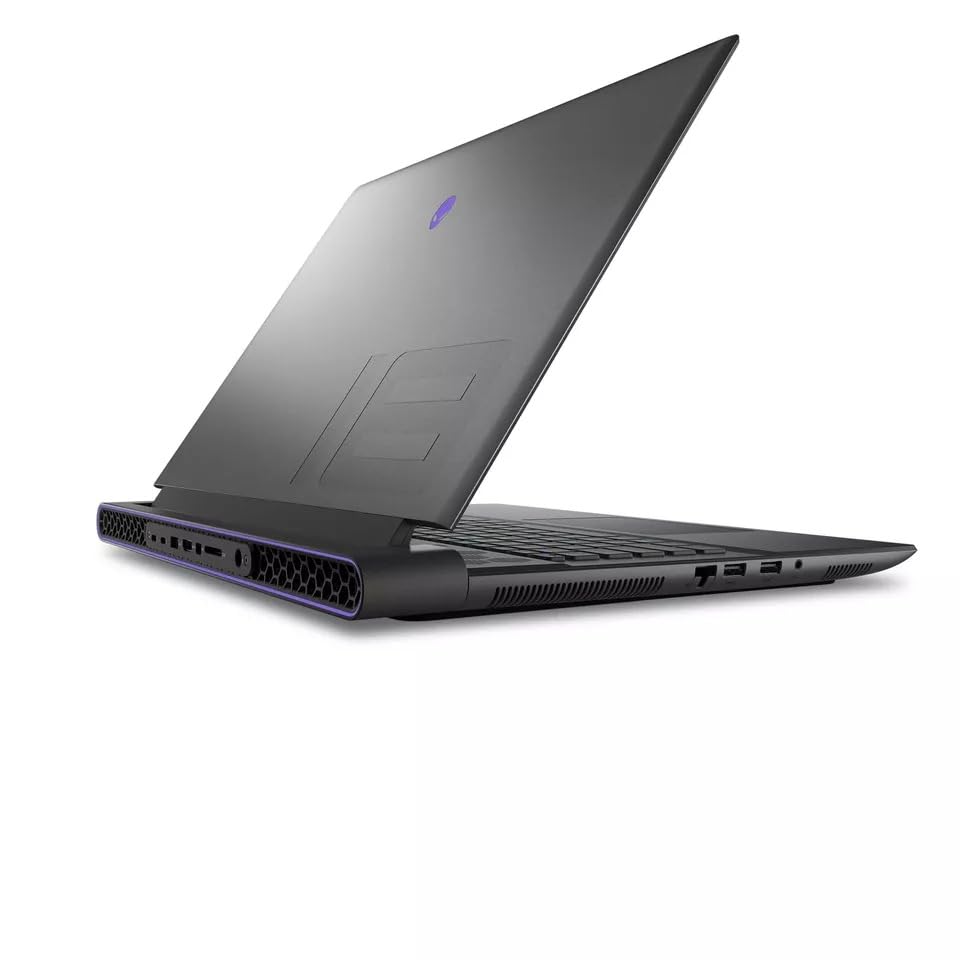
We compare chassis, weight, cooling layout, and ergonomics to see which feels like a daily driver. The Legion Pro 7i packs a dense 16″ chassis built from aluminum/magnesium with Lenovo’s Legion ColdFront vapor-chamber cooling—solid for lap-to-desk use but heavier for its size (about 10.36 lbs). The Alienware m18 R2 trades a bigger footprint for an 18″ desktop-replacement frame (listed ~9.32 lbs) that gives more internal room for sustained thermals and larger IO — better for extended desktop sessions.


Displays: size, color and refresh
The Legion Pro 7i offers a 16.0″ IPS WQXGA (2560×1600) 240Hz panel at 500 nits with a wide P3 gamut and HDR400 — low-latency and color-forward for competitive gaming and color-accurate content work. The Alienware m18 R2’s 18″ QHD+ (2560×1600) 165Hz panel trades peak refresh for a much larger canvas that improves immersion, timeline real-estate, and multi-window dashboards.
Key trade-offs:
Webcam, keyboard and everyday use
Lenovo’s 1080p FHD webcam with dual mics and privacy shutter favors streaming, video calls, and creator content. Legion TrueStrike per-key RGB offers tactile accuracy for long sessions. Alienware provides a customizable RGB backlit keyboard and roomy palm rest for marathon edits and trades portability for workstation comfort.
How this affects Web3: the Legion’s high-refresh, bright, and color-accurate 16″ screen favors responsive UI dashboards and crisp crypto content creation; the Alienware’s 18″ canvas is better when you need expansive tool layouts, multi-window analytics, or simultaneous dev and monitoring screens.
Performance Showdown — CPUs, RTX 4090, Memory and Storage
We dig into benchmarks and real-world throughput: both pack Intel i9-14900HX and RTX 4090 GPUs, but diverge on memory (32GB vs 64GB) and storage (2TB (1TB+1TB) vs up to 8TB). We outline expected Cinebench/3DMark numbers, gaming FPS at QHD+/QHD settings, SSD bandwidth, multitasking with dev environments, node-running, large-model inference, and how each system handles sustained loads — critical for Web3 devs, validators, and creators who need reliable compute.
CPU synthetic numbers and sustained CPU loads
The i9-14900HX in both systems targets the same peak clocks. Expect Cinebench R23 ranges roughly:
The Legion Pro 7i is tuned for bursty performance with aggressive AI tuning; Alienware m18 R2’s larger chassis tends to hold higher sustained PL under long compiles and containerized workloads, keeping multi-core throughput steadier over hours.


GPU, 3DMark and gaming FPS at QHD+
A laptop RTX 4090 typically posts 3DMark Time Spy GPU scores in the ~21k–26k range (dependent on TGP). Expect gaming at 2560×1600:

Memory, storage and SSD bandwidth
PCIe Gen4 NVMe drives: expect ~6–7 GB/s sequential reads per drive. Legion’s dual 1TB Gen4 sticks can be combined (or used separately) for high throughput; Alienware’s up-to-8TB config (multi-module) can reach >12 GB/s in multi-drive setups — useful for large dataset sharding and fast snapshotting.
Web3 workloads, inference and conclusion on sustained loads
For local node running and light model inference, Legion is a compact powerhouse. For sustained multi-threaded workloads, long training/inference runs or hosting several validators and heavy toolchains, Alienware’s extra RAM, storage headroom and thermal headroom make it the more reliable heavy-duty platform.
Side-by-Side Feature Comparison
Thermals, Noise, Battery and Portability — Real-World Reliability
We evaluate thermals and acoustic profiles under gaming, rendering, and continuous blockchain/node workloads, noting throttling risks and cooling strategies. We compare battery life expectations, charging tech, travel-friendliness of a 16″ vs 18″ chassis, port selection (USB, TB4, HDMI, Ethernet), and extras like the Alienware external DVD drive and WiFi7 capability—important for on-the-go devs and traders who need stable connectivity and long-running tasks.
Thermals & acoustic behavior under load
Under multi-hour gaming, rendering, or running validator nodes, the Legion Pro 7i’s Legion ColdFront vapor chamber plus AI tuning yields strong burst cooling and quick recovery between peaks; fans ramp noticeably and can get loud. The Alienware m18 R2’s larger chassis provides more thermal headroom, which keeps clocks steadier and generally reduces peak throttling risk on long renders or sustained GPU compute.


Throttling risks and cooling strategy
Battery, charging & portability
We expect limited battery life on both under heavy loads; Legion advertises a “massive battery” but the power-hungry i9+RTX4090 will force mains for serious work. Both ship with large power bricks; plan for desk or UPS for uninterrupted node/trading tasks.
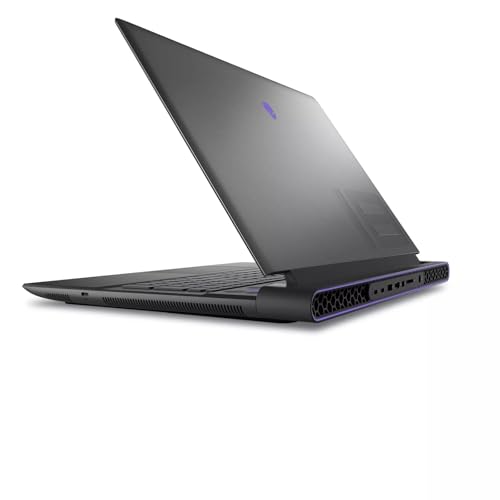
Ports, connectivity & extras
The 16″ Legion is slightly more travel-friendly (still heavy ~10+ lbs); the 18″ Alienware is a desktop-replacement built for long, stable runs. We pick Alienware for sustained uptime, Legion for compact burst power.
Software, Connectivity, Value and Future-Proofing for Web3
Software & security stacks
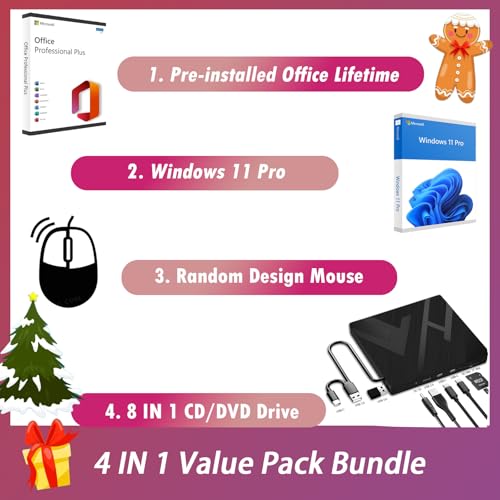
We compare software out of the gate: the Legion Pro 7i ships with Windows 11 Home and Lenovo’s one-year Legion Ultimate Support, while the Alienware M18 R2 comes with Windows 11 Pro and a bundled lifetime MS Office license. Windows 11 Pro gives enterprise features (BitLocker, Group Policy) useful for running validator nodes, secure wallets, or enterprise-grade dev rigs; the Office bundle is a small but real value add.
Connectivity & throughput
Networking is critical for decentralized apps. The Legion uses Wi‑Fi 6E and Bluetooth 5.3; the Alienware advertises WiFi7 for lower latency and higher sustained throughput—advantage Alienware if you need next-gen wireless headroom. USB counts favor Alienware (approx. 6 ports) vs Legion (5), and Alienware includes an external DVD for legacy installs. Confirm Thunderbolt and RJ45 details on the exact SKU before buying.
Warranty, upgrade paths & support
Price-to-performance & total cost of ownership
Who wins for Web3?
For most gamers and content creators we pick the Legion for cost-efficient, upgradeable power. For Web3 professionals demanding maximum throughput, future wireless proofing, and out-of-the-box top-tier RAM/SSD, the Alienware M18 R2 is the long-term investment—if your budget allows.
Final Verdict — Which Laptop Powers Our Web3 Future?
We pick the Alienware m18 R2 as our Web3 Power champion for sheer desktop-class immersion, up to 64GB RAM, and massive 8TB storage that future-proofs node hosting, multitasking, and heavy creative workloads. The Legion Pro 7i is the smarter all-rounder — 16″ QHD+ 240Hz, lighter footprint, and excellent portability for pros who value display speed and mobility.
Pick Legion Pro 7i for portability, 16″ QHD+ 240Hz speed, and balanced power for gamers and mobile creators. Pick Alienware m18 R2 for maximum RAM/storage, desktop immersion, Web3 node hosting, heavy rendering. Ready to build now?



Alienware with 64GB + 8TB SSD is wild. Like, who needs an external drive ever again? lol
Also the included MS Office Lifetime is a weird flex — feels like a bundle from 2008 but OK.
Yeah, the configuration options really push toward ‘no compromise’ machines. Office inclusion is quirky but useful for some users.
8TB tho… future-proof or just overkill? My media library might fill that in 5 years, tbh.
Upgradeability questions: can anyone confirm whether the RAM and SSDs are user-upgradeable on both models? I want to start with 32GB but maybe upgrade later to 64.
Also, tiny typo in the spec table — says 1TB+1TB for Legion but the drive bay layout wasn’t clear. pls clarify 🙏😊
Also, be mindful of thermals when upgrading RAM/SSD — not usually an issue, but power profiles might change slightly.
Totally agree on the manual. And btw, typo fixed in the table — thx for flagging!
Pro tip: check the service manual PDFs before opening anything. Warranty stickers = paranoia mode, but most vendors don’t void warranty for user upgrades these days.
Good catch — Legion ships configured as 1TB+1TB in that particular SKU (two NVMe slots). Both models generally allow RAM and SSD upgrades, but Alienware sometimes has tighter access and warranty caveats. I’ll clarify in the article.
Patch note: Spec table updated to make the storage config explicit. Appreciate the heads-up!
Legion usually has 2 SO-DIMM slots and 2 NVMe—easy-ish to upgrade. Alienware can be trickier but doable if you’re careful.
Web3 power angle in the title caught my eye — are either of these actually better for blockchain dev or crypto workloads? I’m not a heavy gamer, more into dApps and running local nodes.
From specs alone, the Alienware’s memory and storage make it tempting for dev environments, but the Legion’s portability is nicer for remote work. Curious if anyone has hands-on experience running nodes, miners (don’t judge), or dev stacks on these beasts.
Also: price, noise, and maintainability are big for me. I don’t want a laptop that’s a jet engine in my apartment.
Noise wise: both get loud under load. Use headphones or move the laptop to another room if you’re running heavy local services for long periods.
Ran an Ethereum dev node on a high-spec laptop before — 32GB was okay, 64GB made builds faster. If you’re running multiple VMs/containers, go for 64GB.
For dev work and running local nodes, more RAM and storage (Alienware) helps. But for noise and portability, Legion wins. Neither is ideal for 24/7 miner use due to heat and battery concerns — consider a dedicated rig for that.
Really enjoyed the side-by-side — but I’m torn.
Legion 7i feels like the sensible beast: 16-inch, crazy refresh, and still insane specs. The Alienware’s 18″ screen and 64GB/8TB flex is… ridiculous in the best way.
If you travel a bit, the Legion seems more practical. If you want a desktop-replacement that makes a statement, Alienware wins.
Anyone here actually used the 18″ daily? How’s lap comfort? 😂
Good points — I mentioned lap comfort in the notes: the Alienware is hefty and best as a desk machine. Legion hits the sweet spot for power + portability.
If you need bragging rights, get the Alienware. If you need to actually fit it in a backpack and not dislocate your shoulder, go Legion 😅
Used the 18″ for a week in uni — it’s fine on a desk, but on the couch? Not so much. Battery also drains faster when gaming on the bigger panel.
Price-to-performance feels skewed depending on what you want. Legion = smarter buy for most gamers. Alienware = “I have money and time for RGB and excess”.
Would love a follow-up comparing battery runtimes under light load (YouTube, browsing) — that matters for work days.
Agree on price-to-performance. I’ll try to get battery runtime tests into the next update — thanks for the suggestion.
Battery during light use: Legion lasted me a whole afternoon of docs and videos once. Alienware? Better to keep it plugged in for longevity 😅
Display talk:
– Legion: 16.0″ IPS QHD+ 240Hz, 500 nits — perfect for competitive play.
– Alienware: 18″ QHD+ 165Hz — more real estate, better for single-player and AAA.
Content creators: would you pick the bigger panel for color grading, or the faster refresh for motion work?
Added a note in the article suggesting external monitors for serious creators — good point raised here.
If you’re doing pro color work, pro external monitor > laptop screen. But for on-the-go, the Legion’s brightness and refresh are killer.
For color grading, panel uniformity and color accuracy matter more than refresh. Alienware gives size, Legion gives speed. If you do both, test both panels in person.
I’m a video editor — I prefer bigger, true. The 18″ gives more timeline space. But 240Hz is sweet when scrubbing stuff with motion.
Also remember calibration — size won’t save an uncalibrated panel.
Thermals question: how do both handle heavy loads like 4-hour rendering sessions? I saw the specs but real-world temps matter more than benchmarks.
Don’t forget thermal paste and airflow — some units need a slight tweak. Not DIY-encouragement, just real talk. 😅
Also depends on power profile — set it to performance and you’ll see higher temps but better sustained clocks.
Both handle sustained loads well thanks to the i9-14900HX and RTX 4090, but the Alienware’s bigger chassis gives it a tiny edge in cooling under prolonged stress. That said, fan noise goes up on both.
I ran long renders on a Legion 7i Gen 8 clone last year — temps were stable but fans loud. Cooling pads help, but the 18″ will probably be a bit cooler overall.